
Tangrid
Snap, tile, switch, and preview windows on macOS
7 followers
Snap, tile, switch, and preview windows on macOS
7 followers
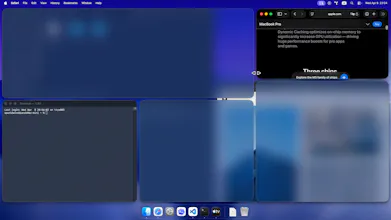
Tangrid is built for Mac users who work with lots of windows across multiple displays and spaces. - Smart Snap: a precise 3x6 placement grid with 18 snap points, intelligent fill, split, and swap - Auto Flow: BSP-based tiling that keeps the desktop organized automatically. Can be switched to Tabbed Layout. - Window Switcher: switch actual windows, with both horizontal and vertical search-driven layouts - Dock Preview: hover a Dock icon to preview every window with multi-monitor awareness


Free Options
Launch Team

Customer.ioAutomate Messaging Everywhere — Startups Get 12 Months Free
Promoted
Hi Product Hunt, I’m the maker of Tangrid.
Tangrid is a native macOS window manager built with users, not just for users.
Over the past few months, hundreds of beta users helped shape it, and more than 50% of the features came directly from real feedback and repeated daily pain points. So Tangrid is not a list of features I imagined people might want. It’s a product shaped by actual workflows.
Tangrid brings four parts of the Mac window workflow into one place:
- Smart Snap for precise manual placement
- Auto Flow for automatic BSP tiling, with Tabbed layout
- Window Switcher for switching actual windows, not just apps
- Dock Preview for finding windows visually
If you work with a lot of windows on macOS, there’s a good chance some of the needs behind Tangrid are already your needs too.
That’s also how Tangrid will keep evolving: from real user problems, not assumptions.
I’d love to hear:
1. Which part of your Mac window workflow feels the most broken today?
2. Which Tangrid feature feels immediately useful to you?
3. What should we build next?