Launching today

Talvio
Use your PC from your phone, with local AI
2 followers
Use your PC from your phone, with local AI
2 followers
Talvio links your Android phone to your PC. Watch and control a window or the whole screen live with sound (Windows PCs), dictate or type on the phone and the PC pastes it into a window you pick, ask the PC's assistant, or run voice commands like "turn the volume down". Speech and the assistant can run fully on your own computer, no API key needed. The PC approves each phone, and screen access is a separate switch, off by default. Desktop app for Windows, macOS and Linux. MIT licensed.



Hi Product Hunt, I'm Ishan. I build Talvio on my own, from Kathmandu.
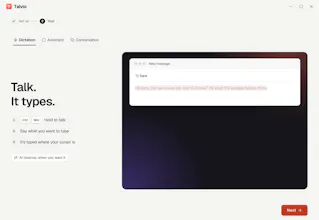
It started as dictation: hold a key, talk, and the text is typed into any app. But everything has dictation now. What I actually wanted was to use my PC when I'm not sitting at it. From the couch, from the kitchen, from a train.
So Talvio links your Android phone to your computer. From the phone you can:
Watch and control a window or the whole screen live, with sound, from any network. Flip the View / Control switch and you tap to click, double tap to double click, long press to right click, drag with two fingers to scroll, and type into the window you're watching. A tap on a Send, Buy or Delete type button asks you on the phone first. For now this needs the PC to run Windows.
Dictate or type on the phone, and the PC pastes it into a window you pick.
Ask the PC's assistant, with the same model, memory and tools, and get the answer on your phone.
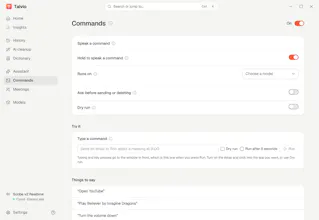
Run voice commands on the PC like "open YouTube" or "turn the volume down". Voice commands are off by default.
Privacy is the part I cared about most:
Speech and the assistant can run entirely on your computer: transcribe.cpp for speech, llama.cpp or your own Ollama or LM Studio for the assistant, a local voice for answers. No API key needed.
The PC has to approve each new phone, and seeing or using windows is a separate switch that's off by default.
Live video and sound are end-to-end encrypted WebRTC, relayed only when a direct connection isn't possible.
The relay server is open source (Bun and SQLite) and never stores recordings or transcripts.
The desktop app runs on Windows, macOS (just released, not signed yet) and Linux. The phone app is an Android APK from the website. It's not on the Play Store yet, and there's no iOS version.
It's MIT licensed and started as a fork of Handy by CJ Pais, who deserves the credit for the local dictation core.
What I'd like feedback on:
Does the phone link work on your network? If it doesn't connect, tell me what kind of network you were on.
What would you do first from your phone?
Does it run on your GPU? A crash report with your GPU and OS helps a lot.
If it's useful, a star on GitHub helps other people find it. Thanks for reading.