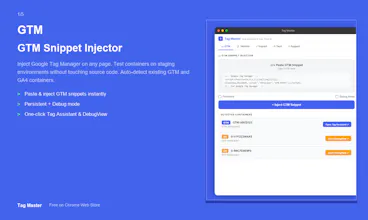
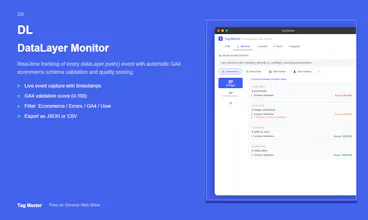
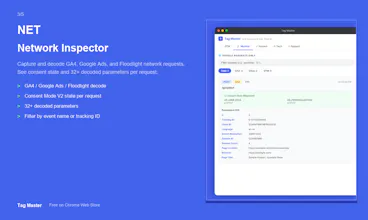
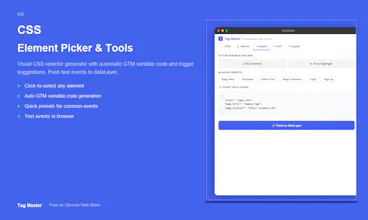
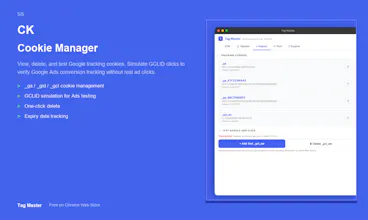
Tag Master is a free Chrome extension that brings all your GA4 and GTM debugging tools into one side panel. - Inject GTM snippets on any page and auto-detect containers - Monitor dataLayer events with GA4 schema validation (scored 0-100) - Decode GA4, Google Ads & Floodlight network requests with consent state - Generate CSS selectors and GTM variable code visually - Manage Google tracking cookies and simulate GCLID for Ads testing No account needed. No data collection. 100% free.
Hey Product Hunt!
I'm the maker of Tag Master. I've been working with Google Tag Manager and GA4 for several years, and I was frustrated by how fragmented the debugging workflow is - you need Tag Assistant in one tab, DebugView in another, DevTools Network panel open, plus some other extension for dataLayer monitoring.
So I built Tag Master to combine everything into a single Chrome side panel that stays open while you browse.
Here's what makes it different from other GTM/GA4 tools:
1. It's a SIDE PANEL, not a DevTools panel - so it doesn't disappear when you close DevTools
2. DataLayer events get automatic GA4 schema validation with a quality score (0-100) - so you can instantly spot missing parameters
3. Network requests are decoded with Consent Mode V2 state visible - critical for GDPR compliance debugging
4. You can inject GTM on pages that don't have it - perfect for testing on staging environments
5. The Element Picker generates GTM variable code automatically
It's completely free, no account required, and collects zero data.
I'd love to hear your feedback - what features would make your GTM/GA4 workflow even easier?
Report
No reviews yetBe the first to leave a review for Tag Master