Tactile is a free, open-source macOS menu-bar app that taps your trackpad's haptic engine whenever the cursor passes over anything clickable — every button, link, menu, and tab, system-wide, in any app. Feel the interface, not just see it.
No reviews yetBe the first to leave a review for Tactile
Maker
📌
Hey hunters 👋
I'm Mason, the maker of Tactile.
Macs have this genuinely great haptic trackpad, and macOS basically only uses it for clicks. Meanwhile most apps just nudge a button's color a little on hover, which is easy to miss. I kept wishing I could actually feel when my cursor was on something clickable.
So I built Tactile. It lives in your menu bar and taps the trackpad whenever your cursor moves over anything you can click, a button, link, checkbox, menu, tab, Dock icon, in pretty much any app. It reads the same system accessibility info VoiceOver uses, so it works almost everywhere instead of app by app.
A few things I cared about while building it:
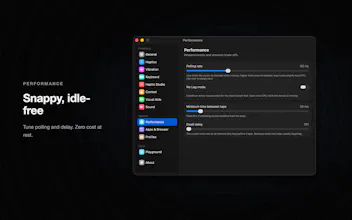
It's genuinely doing nothing when you're not moving (0% CPU), so it's easy on the battery.
No network of its own, no analytics, no telemetry. It only ever reads the kind of thing under the cursor, never your content or what you type.
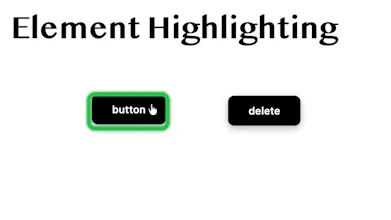
You can shape every feel: presets or your own waveforms per element type, a scarier feel for destructive stuff like Delete, optional visual aids (cursor ring, element outline, crosshair, labels) for low vision, keyboard haptics, and more.
It started life as an accessibility aid, and that's still the heart of it.
It's free and open source (MIT). You just need a Force Touch trackpad and macOS 14.6+.
I'd love to hear what you think, especially where it feels great or where it gets annoying. Happy to answer anything 🙏
GitHub: https://github.com/Mason363/Tactile
Site: https://tactile.masn.studio
Report
Does this slow down the cursor at all, or does it manage to add the haptics without any noticeable lag when you’re moving quickly across a dense UI?
Report
Maker
@daltekin5818 I focused a lot on performance. There should be no lag, even moving across dense UI.
Does this slow down the cursor at all, or does it manage to add the haptics without any noticeable lag when you’re moving quickly across a dense UI?
@daltekin5818 I focused a lot on performance. There should be no lag, even moving across dense UI.