Launching today

SyncGallery
Smaller phone copies. Originals in your own cloud.
9 followers
Smaller phone copies. Originals in your own cloud.
9 followers
One Android gallery for all your clouds and NAS. SyncGallery merges Google Drive, OneDrive, Dropbox, Nextcloud and network storage into a single timeline you can search by content or text in photos. Compact local copies keep your device light and work offline; originals load when you zoom, share, or copy. Review every sync before it runs, clean up duplicates, share with family in one tap, and protect private photos in encrypted vaults. Built for libraries of a million files.




Free Options
Launch Team / Built With


Dropbox SignSimple, secure eSignatures for the way your team works.
Promoted
Hi Product Hunt! I’m the developer behind SyncGallery.
There are hundreds of gallery apps on the Play Store, so here’s why I built another one.
My photos and videos were spread across OneDrive, Google Drive, a NAS, and a couple of other cloud accounts. I'm fun of Samsung devices and Samsung Gallery worked well for what was on my phone and in OneDrive (until Samsung suddenly ended the OneDrive sync).
As the one keeping our family’s media archive together, I still couldn’t see the whole library in one place, my phone and tablet kept running out of space, and finding and cleaning up duplicates took weeks.
So SyncGallery does three things differently:
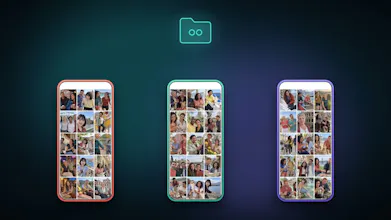
One timeline for everything, fully searchable. Connect Google Drive, OneDrive, Dropbox, Nextcloud, and more, or your NAS and network storage. All your media appears in one feed, sorted by date, and you can browse it offline. SyncGallery indexes every image, so you can search by what’s in it, like “people by the lake”. It also reads text inside photos with OCR, so screenshots, receipts, and documents are searchable too. It still works with a million files.
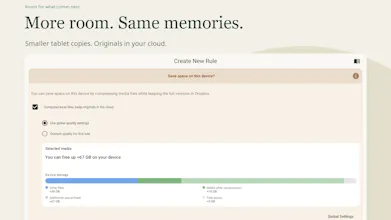
Your whole archive, without filling your device. You can turn on compression and SyncGallery keeps compressed copies on your device. They’re much smaller but still look sharp on a phone or tablet screen, and you can browse them offline. The full-resolution original is fetched only when you need it, for example to zoom in, share, or copy.
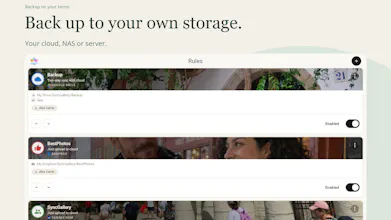
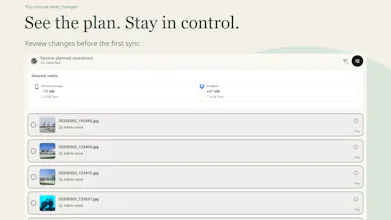
Flexible sync you can trust. Set up sync the way you need it, from simple Camera backup to more complex setups defining which direction to sync and what should happen in case of edit or delete. Before the first sync, SyncGallery scans both sides and shows you exactly what will be transferred, changed, or deleted based on the rule settings. You approve it first. If something looks wrong later, sync stops and asks you before continuing, for example when a lot of files suddenly get deleted. You can also review every operation it has performed.
Other features:
Face detection that groups your photos by person
A map view and places albums for photos with location data
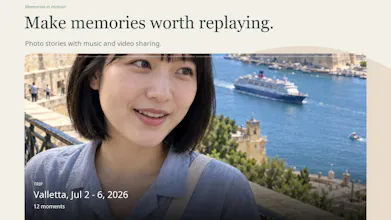
Smart stories on many different themes that you can save and share as videos
Find duplicates and similar shots, and pick the best ones automatically. Cleanups sync back to your remote storage.
Batch-edit dates and times to fix your timeline
A “family network” for one-tap sharing from the viewer, with a record of who shared what
Encrypted private vaults protected by a passphrase and a recovery key
A file explorer across all connected storage, plus photo and video editing
A quick send from any application which support content share to any connected storage
Transfers go directly between your device and your own storage. Nothing passes through our servers.
SyncGallery is free to download, with optional paid plans.
I’d love to hear from people with large or scattered photo libraries: what’s the most frustrating part of your current gallery and backup setup?