Launching today

Synapt Desktop
Search your whole network like it’s one machine
2 followers
Search your whole network like it’s one machine
2 followers
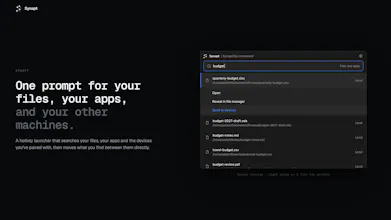
A hotkey launcher that searches your files, apps and paired devices on your LAN and sends files between them, encrypted. No cloud, no account. Comes with SynaptClip, a clipboard manager that can send clips to your other devices. Open source, solo-built



Free
Launch Team / Built With


ArticosYour audience, ready to react to your messaging in minutes. Try free
Promoted
Hey Product Hunt! I’m Aatish, a student and indie dev from India 👋
Synapt started as a Flutter app for a DSA course. I redesigned it and rebuilt it in Rust and Tauri, and I built it with Claude Code and Codex. I wrote the specs, planned the architecture, made the product calls, and tested what they wrote, and the AI wrote a big chunk of the code. It’s all open source, so go read it, poke at it, break it.
What it does: Hit a hotkey (Ctrl+Space by default) and search your files and apps. Type @ followed by a paired device’s name to search that device instead and grab a file from it, with no cloud in the middle. Pairing uses a verification code, everything’s encrypted with ChaCha20-Poly1305, and peers only see the folders you choose to share.
SynaptClip is the companion clipboard manager. It works fine on its own, and if Synapt is running you can send any clip to your other devices.
Heads up: it’s rough around the edges. I can’t test every setup by myself, so part of the reason I’m launching is to find the bugs I can’t see.
The global hotkey doesn’t work on GNOME Wayland yet. I’m on it. It works on GNOME with Xorg, Windows, macOS and X11 Linux.
macOS builds are universal (Apple Silicon + Intel), signed and notarised. Windows and Linux are x86_64 only for now, ARM is planned.
I expect bug reports, and I actually want them. If something breaks, open a GitHub issue or reply here with your OS and desktop setup. If you find a security problem, check SECURITY.md in the repo. I’ll read everything and fix what I can.
Thanks for trying it!
I am using it on my MacBook Pro, and it works smoothly !!