Hello Product Hunters 👋
Exciting to announce the "SVGFlow" Webflow App.
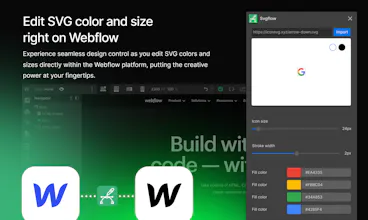
With SVGFlow you can transform your icons by changing their colors, size, and stroke width on the fly.
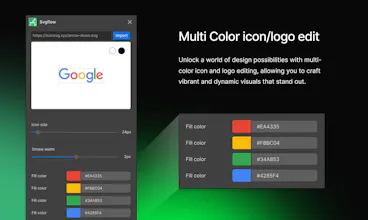
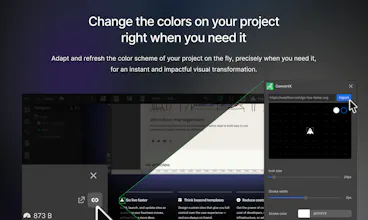
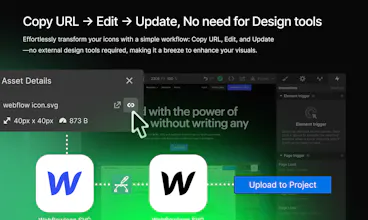
SVGFlow is a unique and solution-driven app that successfully successfully assists Webflow users in seamlessly editing SVG images within the Webflow design environment. Our app offers a convenient color customization feature, allowing you to match your icons to your project's unique palette without the need for external tools.
Tailor your icons to fit your exact needs. Adjust the size of icons effortlessly, ensuring they seamlessly integrate into your design while maintaining visual harmony.
SVGFlow helps you to achieve precision in your design with the ability to adjust icon stroke width. Fine-tune the details of your icons for a polished and professional look.
Features:
- Easy edit SVG icons right on Webflow
- Change colors of SVG files
- Resize the SVG files upon your need
- Adjust the stroke of SVG icons
Can't wait to see all of you Webflowers use it :)
Being able to maneuver with icons straight in the Webflow designer is a painkiller solution for all designers. I believe the community will enjoy this app. 🤨
Big congrats on your launch. This is such an interesting product. As for a suggestion, it could be great to include a feature that allows users to save their favorite or frequently used settings (like specific colors or stroke widths). This could help speed up the design process for users who are working on large projects or who frequently use the same settings.
Report
Maker
@ouyangke thank you! Great point, we will add it to the list of things to consider.
Report
Kudos to @bardhylbytyci for launching SVGFlow - Webflow App. This one is sure to revolutionize the way designers can edit SVG color and size right on Webflow - an impressive feat! Hats off to the hard work and dedication!
Once you dive into SvgFlow, that's when the real fun begins! Playing around with the customization options feels like magic. SvgFlow makes changing colors a breeze, letting you experiment with different palettes until you discover that perfect combination. And the best part? Adjusting the size and stroke width on the fly gives you that extra flexibility, making sure your icons/logos seamlessly fit into any design scenario you throw at them. 🪄
SVGFlow's unique approach to transforming icons effortlessly impressed me as a designer who values simplicity and effectiveness. The ability to dynamically change colors, size, and stroke width on the fly provides an unprecedented level of flexibility without the need for external tools.



San Diego - SaaS
San Diego - SaaS
Landdding
Codebay
Hamburg Finance