Free Chrome extension that instantly extracts colors, fonts, CSS styles, and images from any website. One-click design system extraction. Pro features include AI-powered design analysis.
No reviews yetBe the first to leave a review for Style Inspector Pro
Maker
📌
👋 Hi Product Hunt — I’m Breon, a front-end developer and designer.
Over the years, I’ve found myself constantly digging through DevTools just to figure out what font, color, or spacing a site was using. It was time-consuming, inconsistent, and honestly—kind of a chore. So I built something I always wished existed:
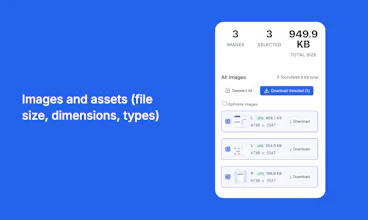
Style Inspector Pro is a Chrome extension that reveals a website’s entire design system instantly—fonts, colors, spacing, images, and CSS styles—all in one organized side panel.
I created it to make my own workflow faster, and it’s now helping others:
Extract visual styles in one click (no coding required)
Inspect any element and copy its CSS, fonts, and color usage
Export everything as CSS, JSON, ACO, or PNG
And with the Pro plan, get AI-powered design audits and improvement suggestions
Whether you're gathering design inspiration, doing a brand audit, or just need to see what makes a great layout tick—Style Inspector Pro makes it easy.
It’s free to get started. I’d love your feedback or questions!
This is truely awesome! The one-click style extraction is a game changer—I've spent *way* too much time manually digging through dev tools. NGL, that alone makes this worth it for me. So slick. How's the AI audit feature on the pro plan work, exactly?
GPT-4o
This is truely awesome! The one-click style extraction is a game changer—I've spent *way* too much time manually digging through dev tools. NGL, that alone makes this worth it for me. So slick. How's the AI audit feature on the pro plan work, exactly?