StyleArt.ai uses AI to transform your photos into stunning artistic styles effortlessly. Access a variety of creative tools and styles in one place to edit, enhance, and stylize your images, ensuring every transformation is unique and beautiful.
No reviews yetBe the first to leave a review for Style Art AI
Maker
📌
Hello everyone, this is qilong from StyleArt.ai. 👋
At StyleArt.ai, we’ve created an innovative AI-powered platform for image generation and creative design, built on ChatGPT 4o. Whether you’re a professional artist or a content creator, this is the place where your ideas can come to life and even exceed your expectations.
What makes StyleArt.ai special?
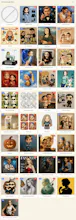
🎨 Diverse Style Options: With over 30 built-in preset styles to choose from, there’s something for everyone! You can also customize your own styles, breaking free from limitations. Plus, we’re constantly adding more exciting styles for you to explore.
🔄 Multiple Creative Modes: Enjoy both text-to-image and image-to-image generation modes. Save and modify your prompts with ease, and get inspired by random prompt suggestions to spark your creativity.
✏️ Easy Editing Features: Whether it’s your own creations or images from the “Featured Gallery,” you can jump straight into the image-to-image mode with just one click for quick and seamless edits, saving you valuable time.
🎁 Generous Rewards System: New users get bonus credits upon registration, and you can earn free credits daily just by logging in. If your work gets selected for our “Featured Gallery,” you’ll receive additional credits as a reward!
Come and unleash your creativity with StyleArt.ai! 🚀
Report
Art is so subjective are there any personalization options that allow users to guide the AI based on their preferences or mood?
Report
Maker
@claudio_fanetti Hello, thank you for your support! Yes, users can select the "Custom Style" mode and create based on their personal preferences in the prompt. This way, the AI can generate artwork tailored to your specific requirements.
Report
I absolutely love the variety of preset styles. Is there an option for batch processing for creators who want to stylize multiple images at the same time?
Report
Maker
@leo_cobain Hello, thank you so much for your support! This is a great suggestion! In the future, we will plan this feature based on the development and roadmap of the platform. The initial plan is to support batch processing of up to 5 images at a time, with each image being styled either differently or similarly. Thank you again for your suggestion, and if you have any questions during use, feel free to contact us at support@styleart.ai.
Report
I’m really impressed with the results I’ve seen so far some of them look like they belong in a gallery. Do you offer high resolution outputs that are suitable for printing?
Report
Maker
@jackson_wells Thank you so much, Jackson Wells, for your kind words.
I'm thrilled that you like the creations you've made.
That's a great suggestion! I'll try to implement this feature, but I'm not sure how feasible it is at the moment. Currently, the images are output in high definition.
Looks like such a fun and powerful creative tool. Congrats on the launch. We're also building with AI at Mukh.1, where agents handle the repetitive tasks so you can focus on your craft. Check it out.
Report
Do you keep a history of edits or versions so that users can experiment without the fear of losing their progress?
Report
Maker
@yoana_angelica Hello, thank you for your comment and support! StyleArt allows users to save their prompts locally. Additionally, all generated images are stored and can be easily accessed in the "My Creations" section, where you can conveniently revisit and continue working on them for further creativity.
Report
Wow, qilong! This sounds super intriguing! I'm curious about how exactly the customization of styles works—can you really create a completely unique style from scratch, or is it more about tweaking the existing presets? Also, for the text-to-image mode, how does the AI handle complex prompts? I'm imagining some wild combinations here. Would love to see some examples of what people have created with StyleArt.ai so far! Have you thought about integrating a community section where users can share their creations? It could really help build a sense of collaboration among makers! Looking forward to hearing more!
Report
Maker
@hello_leo Hello, hello_leo,Thank you for your support and advice.
1. StyleArt.ai comes with a variety of preset image styles, and I’m constantly adding new and exciting ones. Currently, there are close to 40 different styles available.
2. In addition to choosing from the system’s predefined styles, users can also create their own custom styles, allowing them to fully unleash their creativity and inspiration.
3. StyleArt.ai is powered by GPT4o, which boasts exceptional natural language understanding capabilities. This enables it to analyze and comprehend even the most complex prompts with ease.
4. Users can apply to have their creations featured in the curated gallery. If selected, they’ll receive reward points. Moreover, other users can further explore and remix these featured works for their own creations.


Art is so subjective are there any personalization options that allow users to guide the AI based on their preferences or mood?
@claudio_fanetti Hello, thank you for your support! Yes, users can select the "Custom Style" mode and create based on their personal preferences in the prompt. This way, the AI can generate artwork tailored to your specific requirements.
I absolutely love the variety of preset styles. Is there an option for batch processing for creators who want to stylize multiple images at the same time?
@leo_cobain Hello, thank you so much for your support! This is a great suggestion! In the future, we will plan this feature based on the development and roadmap of the platform. The initial plan is to support batch processing of up to 5 images at a time, with each image being styled either differently or similarly. Thank you again for your suggestion, and if you have any questions during use, feel free to contact us at support@styleart.ai.
I’m really impressed with the results I’ve seen so far some of them look like they belong in a gallery. Do you offer high resolution outputs that are suitable for printing?
@jackson_wells Thank you so much, Jackson Wells, for your kind words.
I'm thrilled that you like the creations you've made.
That's a great suggestion! I'll try to implement this feature, but I'm not sure how feasible it is at the moment. Currently, the images are output in high definition.
Mukh.1
Looks like such a fun and powerful creative tool. Congrats on the launch. We're also building with AI at Mukh.1, where agents handle the repetitive tasks so you can focus on your craft. Check it out.
Do you keep a history of edits or versions so that users can experiment without the fear of losing their progress?
@yoana_angelica Hello, thank you for your comment and support! StyleArt allows users to save their prompts locally. Additionally, all generated images are stored and can be easily accessed in the "My Creations" section, where you can conveniently revisit and continue working on them for further creativity.
Wow, qilong! This sounds super intriguing! I'm curious about how exactly the customization of styles works—can you really create a completely unique style from scratch, or is it more about tweaking the existing presets? Also, for the text-to-image mode, how does the AI handle complex prompts? I'm imagining some wild combinations here. Would love to see some examples of what people have created with StyleArt.ai so far! Have you thought about integrating a community section where users can share their creations? It could really help build a sense of collaboration among makers! Looking forward to hearing more!
@hello_leo Hello, hello_leo,Thank you for your support and advice.
1. StyleArt.ai comes with a variety of preset image styles, and I’m constantly adding new and exciting ones. Currently, there are close to 40 different styles available.
2. In addition to choosing from the system’s predefined styles, users can also create their own custom styles, allowing them to fully unleash their creativity and inspiration.
3. StyleArt.ai is powered by GPT4o, which boasts exceptional natural language understanding capabilities. This enables it to analyze and comprehend even the most complex prompts with ease.
4. Users can apply to have their creations featured in the curated gallery. If selected, they’ll receive reward points. Moreover, other users can further explore and remix these featured works for their own creations.