Launching today

Storyvalo
Turn any webpage or document into a source-backed video
1 follower
Turn any webpage or document into a source-backed video
1 follower
Turn a webpage or PDF into an editable, narrated video. Review source excerpts behind factual claims, refine each scene, then export captioned 1080p video. Free watermarked 720p plan; one-time packs and optional monthly plans for watermark-free exports.


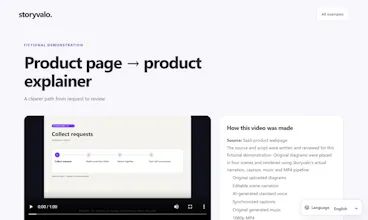


Hi Product Hunt! I'm the maker of Storyvalo.
AI video tools are good at producing confident narration, but for business content I wanted to see where each sentence came from before anything got published.
What it does: paste a public webpage or upload a PDF, document, image or audio brief. Storyvalo drafts an editable, scene-by-scene script, and each factual claim is labelled Supported, Inferred, Unsupported or User-provided, with the exact source quote where there is one. You can edit, reorder and time every scene, choose your own original images, Pexels stock or AI illustrations, add a brand kit, and render a narrated, captioned 1080p MP4 in 16:9, 9:16 or 1:1.
What it doesn't do (yet): source support is not proof that a claim is true. It shows you the evidence so you can review it. Storyvalo does not auto-post to social networks; you download the video, captions and publishing notes.
Pricing: a free plan with one 60-second, watermarked 720p export each month and five minutes of AI script drafts, no card needed. Paid exports are 1080p with no watermark. Choose a one-time pack or an optional monthly plan; current options are at storyvalo.com/pricing. Applicable taxes are shown at checkout.
I'd love your feedback on: (1) is the claim-evidence view useful, or too much detail? (2) which source would you turn into a video first: a product page, a help article or a training PDF? (3) anything confusing in the first five minutes?
All the examples on the site are fictional demonstrations we made ourselves, so you can watch an export next to its source without signing up: https://storyvalo.com/examples