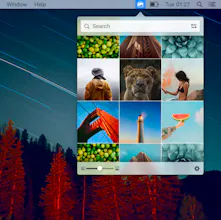
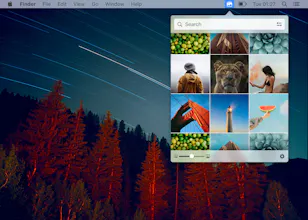
I don't see the big advantage over the traditional web access, it has smaller preview anyway. Is it possible to get from other sources, even it's powered by pixabay?
@hnvcam Main advantage over the website is that you can directly drag and drop images into any Mac app. Including other sources would hardly be of benefit, given that almost all other sites copy images from Pixabay.com
Happy to share another project with you all. In a nutshell, we wanted to make it easy for you find stock photos, so we came up with this :)
Report
https://everypixel.com/ Would be nice as is searches all images...
Also option for bigger images, on a high res monitor the images are no bigger than icons. Good version 1.0 though thanks.
@androidlove The problem with allowing direct Shutterstock and iStockPhoto access is the licensing on each image and you would have to hold an account with each of the providers. The nice thing about this is that they are all CC-0 licensed images meaning free for personal and commercial use.
Report
Downloaded this. Nice concept but disappointed to see you cannot simply click an image to set it as a desktop image. Instead you have to save to a folder then do the usual right click > services > set as desktop. In addition there is no way to filter by resolution. The first 5 images I attempted to set were fuzzy as hell on my 4k monitor. Nice concept but until you make those two changes, for me its not very useful.
My OKR - Personal Goal Tracker
Pixabay
Repo Lovers
Unsplash
Repo Lovers
Stockmagic for Mac
Freedcamp
Vervoe
Bookmark | AI Website Builder
Crazy Conversions