
SteadIP
Give your localhost a public address.
7 followers
Give your localhost a public address.
7 followers
SteadIP lets developers, homelabbers, students, and small teams publish local HTTP/HTTPS services behind NAT, CGNAT, firewalls, or dynamic IPs — without opening router ports.
This is the 2nd launch from SteadIP. View more
SteadIP
Launching today
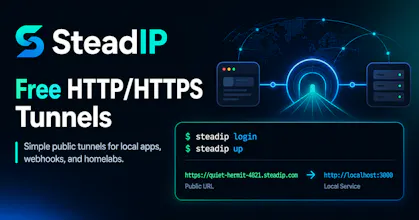
SteadIP provides free HTTP/HTTPS tunnels powered by frp. Expose local web apps, APIs, dashboards, webhooks, and homelab services behind NAT or CGNAT with a public HTTPS URL.

Free
Launch Team

How does the HTTPS cert piece work if my server is sitting behind CGNAT with no public DNS pointing at it?
@naimefidan5e7b the ssl certificate is automatically provided by cloudflare for every random free subdomain. For our verified users, we provide automatic certbot ssl certificates for custom domains.
How does the HTTPS piece actually work without me needing to front a cert myself — do you terminate TLS on your edge and re-encrypt to my origin, or is it more like a tunnel that streams the raw connection through?
@rzeliha54971 For HTTP/HTTPS tunnels, SteadIP terminates TLS at the edge/gateway.
So the public side looks like this:
Your local service does not need to run HTTPS or provide a public certificate. It can just listen on plain HTTP, for example:
and SteadIP exposes it publicly as:
So it is not raw TLS passthrough for normal HTTP/HTTPS tunnels. SteadIP handles the public HTTPS certificate and forwards the HTTP request to your local origin through the frp tunnel.
For custom domains, the same idea applies: the public TLS certificate is handled at the edge, then the request is forwarded through the tunnel. You do not need to install certbot or manage certificates on your local machine.
For raw TCP tunnels, that is different. TCP tunnels behave more like raw port forwarding: SteadIP does not inspect or terminate the application protocol. If you run your own TLS service over a TCP tunnel, then your service is responsible for its own TLS certificate.
Finally a NAT traversal tool that actually works with my home setup — set it up in a few minutes, no port forwarding, and HTTPS just worked through my ISP's CGNAT.