Launched this week

Stashwell — Web Media Downloader
Collect, download and reuse assets from webpages
3 followers
Collect, download and reuse assets from webpages
3 followers
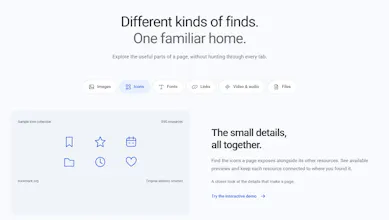
Stashwell turns webpages into a reusable asset library. Scan a page from Chrome’s side panel to collect images, SVG icons, fonts, links, direct media, and files. Preview, search, bookmark, and download resources individually or as a ZIP. Convert supported assets or prepare them for Figma, Canva, Photoshop, and other design apps. After a manual scan, the collection updates as the page changes. Everything stays local, with JSON backup and no account.



Hey Product Hunt, Adilsha here.
When we find a useful image, icon, file, or link on a webpage, getting it into a project can take more work than finding it. Downloads end up scattered, the source page gets lost, and design tools often need a different file format.
We built Stashwell to bring those steps together in Chrome’s side panel.
Choose Scan page and Stashwell collects the resources available on that webpage: images, SVG icons, fonts, links, direct video and audio, and downloadable files. You can preview and bookmark what matters, search and filter your collection, download individual resources, or package a selection as a ZIP.
For design work, Send to app prepares images and icons for tools such as Figma, Canva, and Photoshop using files or the clipboard. After a manual scan, Stashwell can also pick up resources that load later while the tab is active and the panel is open.
Your library stays in your browser. There’s no account, and you can export a JSON backup whenever you want.
Stashwell is available now on the Chrome Web Store: Install Stashwell
We’d love your feedback: What slows you down most when collecting web assets—finding them, organizing them, or getting them into your tools?