
SpawnWP
Self-hosted disposable WordPress labs
3 followers
Self-hosted disposable WordPress labs
3 followers
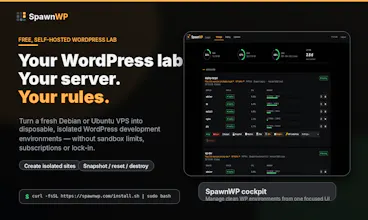
SpawnWP turns a fresh Debian or Ubuntu VPS into a self-hosted WordPress lab where developers can create isolated, disposable WP environments from a web cockpit. Build a plugin, test a theme, run QA tools, snapshot, reset or destroy the site when you’re done.


Hey Product Hunt 👋
I’m Maurizio, the maker of SpawnWP.
I built SpawnWP because I needed a simple, self-hosted way to create clean WordPress environments for plugin/theme development without reusing the same messy test site over and over again — and without depending on a hosted service for every experiment.
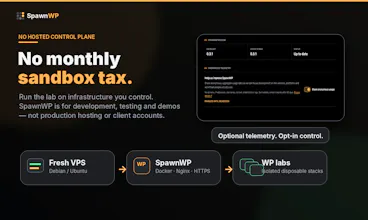
SpawnWP turns a fresh Debian or Ubuntu VPS into a WordPress lab where you can create disposable, isolated environments from a web cockpit.
The workflow is intentionally simple:
Bring a fresh VPS/Server
Point two hostnames to it
Run the installer
Open the cockpit
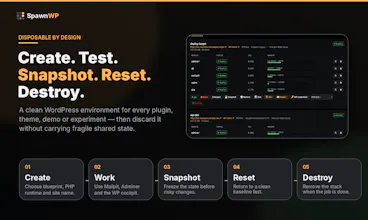
Create a clean WordPress environment from one of three built-in blueprints
Work, test, snapshot, reset or destroy it
What’s included:
Isolated per-site WordPress stacks
Multiple PHP versions
Mailpit and Adminer
Snapshots, reset and destroy actions
WordPress.org-oriented QA tools
Plugin Check
Theme Check
PHPCS/WPCS
PHPStan
Query Monitor
HTTPS and separate cockpit hostname
Optional opt-in telemetry
MIT license
SpawnWP is not a hosting panel and it is not designed for production hosting or client accounts. It is meant for development, testing, demos and disposable WordPress labs on infrastructure you control.
The optional SpawnWP Deploy plugin is only a narrow one-time transfer helper for moving a finished site to a fresh target WordPress install. It is not required to use SpawnWP.
I’d really appreciate feedback from WordPress plugin/theme developers, especially on:
The installation flow
The cockpit UX
Missing QA tools
What would make it more useful for WordPress.org submissions
Whether the “self-hosted lab” positioning is clear enough
Repo:
https://github.com/tts-empire/sp...
Docs:
https://spawnwp.com/docs/
Thanks for checking it out!