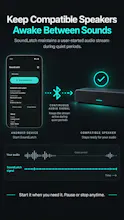
SoundLatch sends a user-started audio stream during quiet periods to help compatible speakers, soundbars and other Android audio outputs avoid idle standby. Test signal modes, save device profiles, and control sessions from Android, Android TV and Google TV.
Hey Product Hunt!
The problem I wanted SoundLatch to solve is very specific: some Bluetooth speakers, soundbars, and other audio devices enter standby when nothing has played for a while. Then when audio starts again, the device may take a moment to wake up or the beginning of the sound can be missed.
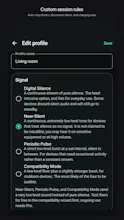
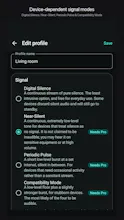
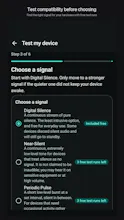
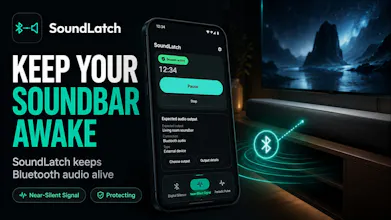
SoundLatch approaches that by keeping a user-started audio stream active during quiet periods. Because different hardware reacts differently, it includes several approaches you can test:
• Digital Silence
• Near-Silent Signal
• Periodic Pulse
• A guided Compatibility Mode
Once you find a setup that works with your device, you can save it as a profile and reuse it later.
I also wanted the behavior to be very explicit. SoundLatch does not secretly start itself, does not record audio, does not require a microphone, has no ads, and keeps its profiles and compatibility results locally. Playback is always something you start and can pause or stop yourself.
It works on Android phones and tablets, plus Android TV and Google TV where compatible. There is a free tier for compatibility testing, with an optional one-time Pro purchase rather than a subscription.
Compatibility does depend on the specific speaker, firmware, Android device, and audio route, so I'm especially interested in hearing what hardware people try it with and what works or doesn't.
I'd love feedback on the setup flow and compatibility testing in particular. Thanks for checking out SoundLatch!