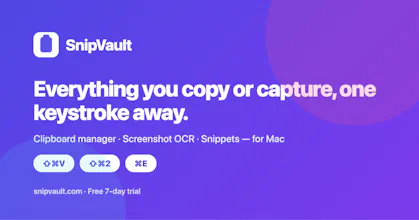
SnipVault is a clipboard manager for Mac with unlimited searchable clipboard history, screenshot OCR, and a text expander in one app. Press ⇧⌘V to find and paste anything you copied, ⇧⌘2 to copy text from any screenshot, video, or PDF with on-device OCR, and type :keyword to expand snippets in any app. Passwords are never stored, one-time codes auto-expire, and nothing leaves your Mac. No account. Free 7-day trial, no card. $79 once or $29.99/yr.
Hi everyone, I'm Diljit, maker of SnipVault.
What inspired it. My menu bar had three apps doing one job. Paste kept my clipboard history. TextSniper grabbed text off screenshots. TextExpander turned :sig into my signature. Three subscriptions, three shortcuts, three places to search, and none of them knew about the others. The moment that broke me was snipping an invoice number off a PDF, pasting it, and then needing it again two days later. The OCR tool had already forgotten it, and the clipboard manager had never seen it.
The problem I set out to solve. Everything you copy or snip should land in one place, stay there, and come back with one keystroke. So in SnipVault, ⌘C captures like always, ⇧⌘V floats a palette over any app with your whole history, ⇧⌘2 reads text off any region of the screen with Apple's on-device Vision engine and keeps the screenshot alongside the text, and a :keyword expands a snippet in Mail, Slack, or a terminal. Emoji by name with ⌘E, GIFs that stay animated, pinboards and tags for the things you reuse.
How the approach changed. I started with features and ended up obsessed with privacy, because a clipboard manager sees the most sensitive text on your computer. SnipVault has no server and no account. Password managers are ignored by default, content apps mark as concealed is never stored, and copied one-time codes and card numbers delete themselves after 60 seconds. The palette is invisible to screen sharing. If you never enter a licence key, the app makes zero network requests. That became the product.
The second change was the first-run experience. A menu bar app with no window is invisible, so there is a guided tour that watches you actually copy, open the palette, and paste, and ticks each step off as you do it rather than telling you about it.
Honest limits. Mac only, macOS 13 or later, Intel and Apple Silicon. No iPhone app yet. Sync between Macs runs through your own iCloud and is still rolling out. If you need your clipboard on your phone today, Paste is the better pick, and the comparison pages on the site say so.
Pricing. A 7-day trial of the complete app, no card. Then $2.49 a month, $29.99 a year, or $79 once with every future update. Every plan has every feature and one key works on three Macs. When a trial ends the app locks, but nothing you copied is deleted, and you can export your vault any time.
I'd love to hear which of the three apps you'd still keep and why, and what breaks. I read every comment and every email to diljit@dprsoftwarelabs.com