
SiteHaul
Screenshot an entire website in one click.
10 followers
Screenshot an entire website in one click.
10 followers
Browser extensions capture one tab at a time and you name every file yourself. Hosted services render your client's pages on someone else's servers. SiteHaul reads a site's sitemap and captures every page at desktop and mobile in one run, named from each URL, entirely on your Mac. Every run includes a urls.md redirect map. The lifetime license adds each page's copy as Markdown and, in beta, a scrolling MP4 of any page. Free for 10 pages a month, $49 once to upgrade.




Capture any list of URLs, and pages behind a password
Version 1.2.0
A sitemap is not the only way to say what you want. You can now paste the URLs instead, and open pages that are protected by a single password.
New
Capture a list of URLs instead, under Advanced. Paste them one per line and SiteHaul skips the sitemap entirely. This is the answer for a page deliberately kept out of the sitemap, for a site that has no sitemap at all, and for the times you want four specific pages rather than to untick eighty.
Page password, also under Advanced. For a page protected by one password and no username, like WordPress's built-in page protection. It is only tried on pages that turn out to be gated, it is never saved, and it is never written into your run folder. A password that gets rejected is reported as exactly that, rather than as a page that happens to be locked.
A pasted list can span several sites, which makes 'grab the pricing page of ten competitors' one run. Those runs are named by site rather than by whichever URL was first, and every filename leads with its host so you can tell whose is whose.
Pulled my whole portfolio site in one run and the files were named exactly like the URLs, which saved me a ton of cleanup. The Markdown export is a nice bonus I didn't expect to actually use.
Popups and chat widgets get cleared
SiteHaul now clears the things that sit on top of a page, so your captures come back showing the actual site.
Improved
Newsletter and signup popups are closed before the screenshot is taken, including ones that appear late, after the page has finished loading and scrolling. A single popup could otherwise sit over every page in a run, at both sizes.
Live chat widgets are hidden too. A chat bubble sits in the corner of every page of a site, so one widget could turn up in every capture you took.
Fixed
Fixes to how the app starts up, and to the browser it uses to capture pages.
Capture sites behind a login
Version 1.4.0
SiteHaul can now sign in to a site before capturing it, so staging sites in maintenance or coming-soon mode and pages behind a login form capture like any other.
New
Site login, under Advanced. Give SiteHaul a username and password and it signs in once through the site's own login form, then reads the sitemap and captures every page as that user. WordPress logins are found automatically; for anything else, paste the login page's URL. The password is used once and is never saved or written into the run folder.
A wrong password is caught when you press Fetch pages, with the site's own explanation, so you know before a run starts.
A WordPress site in maintenance or coming-soon mode is recognised as protected, and the run tells you it needs a login.
WordPress's admin bar is left out of captures taken while logged in.
https://sitehaul.app/updates
Screen recording (beta), and results you can see at a glance
Version 1.5.0
https://sitehaul.app/updates
SiteHaul can now record a page scrolling from top to bottom and save it as an MP4. The Done screen and the gallery also show what you captured much more clearly.
New
Screen recording, in beta. Give it one page and SiteHaul records it scrolling from top to bottom and saves an MP4, at desktop size, phone size or both. It comes with the lifetime license. Look for the line under the box on the start screen.
The recording is made by SiteHaul's own browser, not by filming your screen. macOS never asks for screen recording permission, and nothing else on your Mac can end up in the video.
Desktop recordings are 2880 × 1800 by default, which is sharp on a Mac display, with a quicker 1440 × 900 option. Phone recordings are 780 × 1688. All of them are 60 frames a second.
Site login, server password, page password and the cookie banner option all work for recordings, the same as for screenshots.
Improved
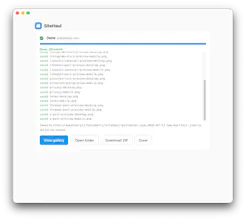
When a run finishes, the Done screen shows the first pages as thumbnails. Click any of them to open the gallery.
In the gallery, desktop screenshots get most of each card so you can read them, phone screenshots open at their real size, and Open folder and Download ZIP are at the top.
Runs that saved nothing are dimmed in Recent runs, so the ones with something in them are easier to find.
If your license is already active on three Macs, the message now links to where you can free one up.
Fixed
A page could not be captured at all if one image or tracker on it never finished loading. SiteHaul now captures what loaded.
If a page never loaded, for example because a firewall was holding the connection, SiteHaul saved a blank screenshot and counted it. It now reports the page as failed, and it doesn't count towards your monthly pages.
Such a promising launch—congrats on SiteHaul! Screenshot an entire website in one click. is a clever idea. Wishing you a strong Product Hunt day! 🚀