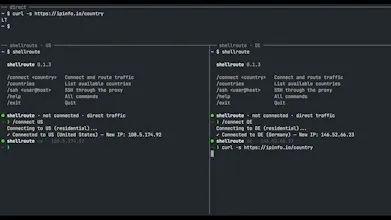
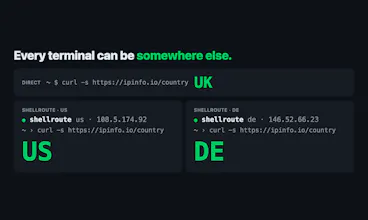
Shellroute gives each shell its own proxy IP. Pick a country and use the terminal normally. Use a different country in each shell, or run a single command through the proxy.
Shellroute gives each shell its own proxy IP. Pick a country and use the terminal normally.
Use separate shells to compare responses through US and German proxy connections, or give a script its own country. Commands run on your machine; unrelated terminals keep their existing connections.
With Shellroute installed and a saved login, start from your normal terminal:
shellroute
/connect US
curl -s https://ipinfo.io/country
Keep that session open and work inside it. For a one-off command from another normal terminal:
shellroute run DE -- curl -s https://ipinfo.io/country
I built Shellroute and run the service behind it. The CLI is open source; the service uses prepaid credit. New accounts receive $1 in free credit. No card required.
Quickstart: https://shellroute.com/docs/quic...
Source: https://github.com/shellroute/sh...
Setup and compatibility: https://shellroute.com/docs/comp...