We made Shade. A professional visual effects tool for iPhone and iPad It's available to pre-order on the App Store now for release on March 15 • Carefully designed touch-driven graph UI • Exports to Unity 3D and Codea • Live, physically-based render preview
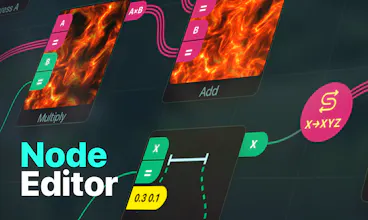
We've spent the last nine months building Shade, a node-based shader editor for iOS. It's a tool you can use to build shaders by connecting nodes in a graph. A shader is a program that can be applied to a 3D scene to give the appearance of different surfaces like clouds, wet cement, wood, and so on.
Our app makes shader editing intuitive and accessible, but doesn't shy away from complexity. It embraces modern iOS productivity paradigms like drag-and-drop, file system support and keyboard shortcuts.
In the end though, we made this app for ourselves — it's our hobby to make highly visual, creative software for multi-touch devices and Shade is the best we've done so far. One of the goals of building this app was to push the iOS platform into more professional uses, and to show just how capable these computing devices are.
(One cool little note is that this app was largely developed on an iPad using our previous app, Codea.)
Shade is available now for pre-order and will launch as a free app on the App Store on March 15. It will cost $49.99 USD after a 14-day trial.
Report
Can't wait to see how the app grows when more people are using it.
Pros:
Finally a pro iOS app any visual developers will actually want to use.
Cons:
Price will be out of some folks budget, but it's absolutely worth it.
Report
It’s versatile, powerful, has the right exports and an endless range of creative freedom.
Pros:
Very powerful app, I wish there were more of those pro apps for the iPad.
Cons:
No cons
Report
Been in the beta for this for a little while now and I can attest, it's rad as hell.




Retrogram
Can't wait to see how the app grows when more people are using it.
Pros:Finally a pro iOS app any visual developers will actually want to use.
Cons:Price will be out of some folks budget, but it's absolutely worth it.
It’s versatile, powerful, has the right exports and an endless range of creative freedom.
Pros:Very powerful app, I wish there were more of those pro apps for the iPad.
Cons:No cons