ServeSense

ServeSense

The 3-Click SFTP, FTPS & FTP Server for Windows 10/11

5 followers

Tired of complex configs just to set up an FTP/FTPS/SFTP server on Windows? ServeSense lets you launch a secure SFTP, FTPS, or FTP server in literally 3 clicks. Built for simplicity and security, it features brute-force protection, IP filtering, and auto-start
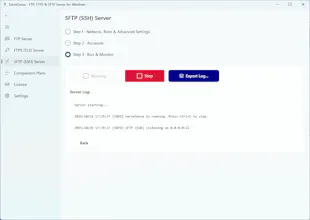
ServeSense gallery image
Free
Launch Team / Built With
Flowstep
Flowstep
Generate real UI in seconds
Promoted

What do you think? …

Maker
📌
Hey Hunters! I'm Duc, the solo maker of ServeSense. As a Windows developer (.NET is my bread and butter!), I've always been frustrated by how difficult it is to do one "simple" task: spin up a secure SFTP/FTP/FTPS server on Windows for free. > My choice was always between: 1. OpenSSH: Fighting with sshd_config files, managing user permissions via command line, and dealing with Windows service quirks. 2. Legacy Apps: Using old, clunky, and often overly complicated server software that looks like it's from 2005 and some tool need license to create the SFTP server. I just wanted a modern, native Windows app that lets me pick a folder, add a user, and click "Run". Since I couldn't find one I loved, I built ServeSense. It’s an all-in-one SFTP (SSH), FTPS (TLS), and FTP server that strips away all the complexity. It's built for other developers, IT pros, and advanced users who value their time. It also comes with the security features you actually need, like brute-force protection and IP filtering, built right in. I’m here all day to answer any questions you have! I’d love to hear your feedback. What's one feature you feel is "missing" from most file server apps? Cheers!