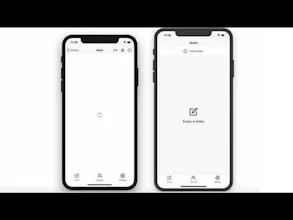
Compose private notes, optionally share them with others and still stay in control of who can access your data. All while having an excellent offline-first experience on all platforms.
@mxstbr thanks π
Happy to shed some light on how it works:
Every document is a CRDT data structure. This is very important for conflict resolution. With CRDTs this can happen on the client and everyone can resolve to exactly the same state of the document once all the updates are synchronised.
Since this all can happen on the client we can take the updates, encrypt them and decrypt them on the other device. The best part is that we can leverage state of the art encryption. Serenity Notes use Matrix's Olm/Megolm library https://gitlab.matrix.org/matrix... which is inspired by Signal protocol.
Hope this provides some insights! π
@fstanev I couldn't agree more. That said there are plenty of use-cases where I think full transparency would be best, but I prefer if you have a choice :)
Hey everyone! π
Most data stored in the cloud-based service is not encrypted e.g. Google Docs or Apple Notes. While we enjoy the convenience of these services, it also means we donβt have 100% control of who can access our data.
Last year I started to wonder if state of the art end-to-end encryption (Signal/Matrix) could also be applied to shared documents/data. After a couple of experiments I combined end-to-end encryption with CRDTs (Conflict-free replicated data types) and got a first prototype of Serenity Notes working.
It then evolved to a notes app with the aim to provide full control over privacy without compromising on user experience. Think of a simple Google Docs, but end-to-end encrypted.
I'll be here all day to answer your questions and of course feedback is also very welcome! π
Cheers,
Nik
P.S: The client/app code is open source https://github.com/SerenityNotes...
Also thanks to @Betty_steinbrecher for her amazing work on the logo, color palette and branding in general!
Report
just installed and tried out the app, I loved the smooth and minimalistic UI, congratulations on the launch!
Hi @roxanasoi π
I try my best here, but since I don't know these tools too well I might be wrong. Happy to receive feedback and corrections.
All of them are fantastic tools and in the end it's always about trade-offs.
Cryptomator is a file based encryption tool. So if you and someone else work on a Word file for example in parallel you will overwrite each others changes. Also the encryption is AES and from the screenshot it looks like there is one password per folder. This means if the key gets exposed once all your files are exposed. This means you must very careful how to exchange the key.
In Joplin you create one master-key. This means you can't collaborate securely on notes with others or you share all notes with the others. https://joplinapp.org/e2ee/
Turtl is collaborative and in many ways similar to Serenity Notes. What's different though is that when you want to collaborate with someone you need to exchange the key in a secure manner. https://turtlapp.com/docs/security/
CryptPad looks very interesting, but I couldn't find much information how encryption works in the documentation and also briefly glancing a the code didn't help :(
Report
Love the collaborative angle! Congrats on the launch!
GraphCDN
Serenity Notes
koinju
Serenity Notes
Serenity Notes
Serenity Notes
Serenity Notes
Serenity Notes
Serenity Notes