
Sectionry
Figma marketing sections that don't break when you resize
6 followers
Figma marketing sections that don't break when you resize
6 followers
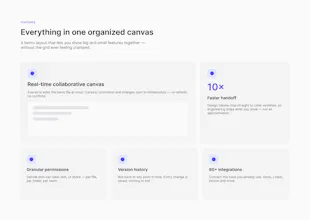
Most free Figma kits look great in the thumbnail, then fall apart when you resize. Sectionry is 40 marketing-site sections (heroes, pricing, testimonials, FAQs, CTAs, footers, bento) that hold up: real auto-layout, component variants, and design tokens, so frames resize cleanly and you can rebrand the whole file in about a minute. Light and dark, desktop and mobile, plus a full demo page. Free starter and packs on Figma Community; the full kit is a one-time $49.




Free Options
Launch Team

Viktor.comAn AI coworker that actually does the work
Promoted
The auto-layout actually respecting every breakpoint is such a relief after wrestling with kits that snap weird at tablet widths. Love that the design tokens make a full rebrand take a minute instead of an afternoon.
@kamil295722 Thanks Kamil, that means a lot. The tablet-width snapping was the exact thing that drove me nuts, so I built and tested every section from 1440 down to 375 to kill those in-between breakpoints. The token swap is the part I lean on most too. If you try the free starter, tell me what section type you'd most want next — I'm adding based on what this thread asks for.
How does the rebrand process actually work in practice, like is it just changing a few color variables or do I need to dig into each component individually?
rebranded the whole file in under a minute, actually worked. the auto-layout stayed clean when i stretched sections past my monitor width, which is more than i can say for most free kits.