Sculptor turns your images and text into production-ready 3D models. It runs multiple top AI models behind one simple interface and gives you the best result — ready to download, 3D print, or drop into your game. Free, private 3D file converters included.
No reviews yetBe the first to leave a review for Sculptor
Maker
📌
Sculptor is an AI 3D model generator for people who need a usable mesh fast. Describe what you want, or upload a single photo, and you get a downloadable 3D model in about a minute — exported as GLB, STL or OBJ, ready for Blender, a game engine, or your slicer.
Because different AI engines are better at different prompts, Compare runs several engines on the same input and lets you keep the best result instead of guessing. Pro plans add auto-rigging with walk and run animations.
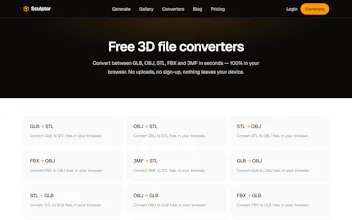
Sculptor also ships a free suite of 3D file converters (GLB, STL, OBJ, FBX, 3MF, glTF) that run entirely in your browser — nothing is uploaded, so client work and unreleased designs never leave your machine.
Free tier: 150 credits every month, no card required.
Report
Really cool that this wraps multiple AI models into one flow. One thing that would help a lot is letting users pick which models run and see a quick side-by-side preview before downloading, so it is easier to know which one nailed the shape versus which one nailed the texture.
Report
Took a photo of my old camera and had a usable 3D model in under a minute, way cleaner output than I expected from a free tool.
Report
Having a quick preview of the model from different angles right inside the interface before downloading would be a huge time saver. A simple orbit viewer with basic lighting would help catch artifacts or scale issues instantly instead of waiting to import into another program.
Report
Being able to fine-tune the AI style or pick a base mesh to start from would be huge, since right now it feels a bit like a black box and I can't really guide the shape toward what I have in mind.
Report
Would love to see a basic UV unwrap and texture baking option built in so the output is truly game-ready without having to jump into Blender afterward. Right now the geometry looks solid but I'd still need to do that step manually before dropping it into Unity.
Report
Finally tried Sculptor and tossed in a rough photo of my coffee mug, came out surprisingly clean as a printable mesh with barely any cleanup. The fact that I didn't have to bounce between three different AI tools was a nice bonus.
Really cool that this wraps multiple AI models into one flow. One thing that would help a lot is letting users pick which models run and see a quick side-by-side preview before downloading, so it is easier to know which one nailed the shape versus which one nailed the texture.
Took a photo of my old camera and had a usable 3D model in under a minute, way cleaner output than I expected from a free tool.
Having a quick preview of the model from different angles right inside the interface before downloading would be a huge time saver. A simple orbit viewer with basic lighting would help catch artifacts or scale issues instantly instead of waiting to import into another program.
Being able to fine-tune the AI style or pick a base mesh to start from would be huge, since right now it feels a bit like a black box and I can't really guide the shape toward what I have in mind.
Would love to see a basic UV unwrap and texture baking option built in so the output is truly game-ready without having to jump into Blender afterward. Right now the geometry looks solid but I'd still need to do that step manually before dropping it into Unity.
Finally tried Sculptor and tossed in a rough photo of my coffee mug, came out surprisingly clean as a printable mesh with barely any cleanup. The fact that I didn't have to bounce between three different AI tools was a nice bonus.