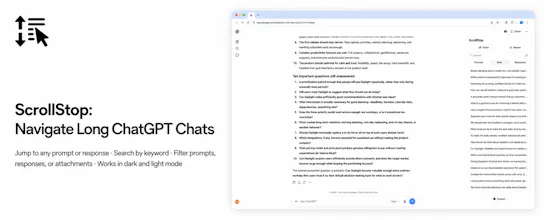
ScrollStop turns long ChatGPT conversations into something you can actually navigate. It adds a native-feeling table of contents beside your chat, letting you jump instantly to any prompt or response, search across both prompts and responses, and filter messages with attachments. It’s built specifically for people with deep, long-running ChatGPT conversations—so instead of endless scrolling or browser search, you can move through a chat like a structured document.
Hey Product Hunt 👋
I built ScrollStop because I kept running into the same problem in my own ChatGPT use: once a conversation becomes really long, finding an earlier prompt or response becomes painfully slow. Browser search helps a little, but it doesn’t give you any real sense of structure, and endless scrolling quickly becomes frustrating.
So I started building the tool I wanted myself: a table of contents for ChatGPT that sits beside the conversation and lets you jump straight to any prompt or response, search across the chat, and quickly find messages with attachments.
The product evolved quite a bit while I was building it. What initially looked like a fairly simple navigation extension turned into a much deeper problem around long-conversation loading, changing ChatGPT page architecture, performance, and making everything feel native rather than bolted on. A lot of the work ended up being about reliability and polish — making ScrollStop behave naturally even in very large chats.
One principle guided the product throughout: it should feel like a feature that could have shipped with ChatGPT itself.
ScrollStop is especially for people who use ChatGPT heavily and have conversations that grow over days, weeks, or months.
I’d really love feedback from people who work this way. In particular, I’m curious whether this solves a problem you already feel in your longest chats, and what would make it indispensable for you.