Launching today

Screlio
Polished screen tutorials, with less editing
0 followers
Polished screen tutorials, with less editing
0 followers
Record and edit polished tutorials in one Windows or Mac app. Screlio brings automatic zooms, editable captions, webcam layouts, cursor highlights, and written guides into the same workflow. Connect an MCP-compatible assistant to make video edits, then review them in Screlio. Try the free demo, with up to 5 minutes per recording. Full access is currently $49/year.



Free Options
Launch Team

ClarifyThe Full-Stack AI CRM that replaces 5 tools.
Promoted
Hi Product Hunt!
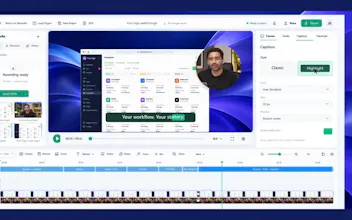
A useful screen tutorial should not take longer to edit than to explain. Screlio brings screen recording and editing together on Windows and Mac, so you can finish a walkthrough without moving between apps.
Here is what you can do in the same project:
• Record your screen, microphone, system audio, and webcam.
• Use automatic zooms and cursor highlights to help viewers follow each step.
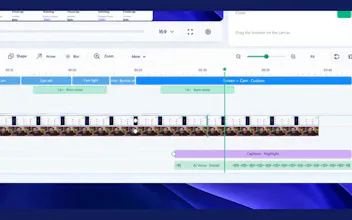
• Trim pauses, style your background, and add editable captions.
• Build a written companion guide from selected video frames.
• Connect an MCP-compatible assistant to make video edits, then review the result in Screlio.
Watch the homepage demo, then try a short tutorial of your own at https://screlio.com/
The free demo supports up to 5 minutes per recording. An email is required to download it; no account or payment is required. Full access is currently $49/year.
What takes the most time in your tutorial workflow: recording, editing, or keeping instructions up to date? Your feedback will help shape what comes next.