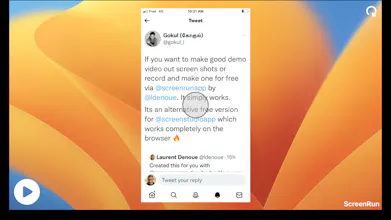
ScreenRun

ScreenRun

beautiful videos from screenshots or recordings in seconds

4.7
10 reviews

256 followers

Create beautiful videos from a simple screenshot or screen recording with a few clicks, add a music track and share on social media or work messaging like Slack as mp4.
ScreenRun  gallery image
Free
Launch Team
ace.me
ace.me
Your new website, email address & cloud storage
Promoted

What do you think? …

Mike Gustaw
Dude, you couldn't have posted this at a better time. Super useful for onboarding. Much obliged.
Krishna Kumar
nice and useful concept simply executed! All the best
Mohcine Heddi
I love the product, specially the feature where you can transform an image screenshot into a video. The zoom effect is just awesome. Great work @ldenoue 🚀
Mykyta Severyn
Great stuff! 🔥 I miss being able to override the cursor that was there when recording. And also the possibility to make zoom out automatically strictly in the center. Or the possibility to place the zoom out trigger in the center. And also a possibility to rewind video after adding triggers. Video trimming is also needed. But overall I'm happy with what I have, it's a great product! I'd be happy to pay for an advanced version.
Laurent Denoue
@wpltd_store video trimming should now work! to zoom in the center, place your point in the center, but you'd like the zoom position to be different from the mouse position?
Mykyta Severyn
@ldenoue It's not that easy to put the cursor in the center. Especially if you have to make several zoom points and back in the video. Then the second zoom back point will be crossed and clicked. And it's also not the exact center, because when zooming backwards I see that the side margins are different widths.
Laurent Denoue
@wpltd_store ah good point, we should have 2 things then: a "snap to grid" when placing points, and when you skim the video timeline, points not belonging to that time should be shown in a faded color and unclickable. So you could place new points without interfering. Would that work?
Laurent Denoue
@wpltd_store we added a new option "Snap Grid" in the right panel that makes it super easy to place your points. Working on the other suggestion (placing points later that can be overlapping previous points). Update March 3: @wpltd_store now the points are selected based on the timeline: so if you place a point at a later time, it will be draggable first. So you can place points later in your video that overlap previous points.
Gravyware Software
Very cool! Great job!
diva ariani
how to download the result of video?
Laurent Denoue
@diva_ariani it should automatically download it to your browser's downloads. Do you see it playing in the last dialog first?
Laurent Denoue
We just launched our PRO access as a lifetime deal for only $7.99 to get unlimited video exports! Based on your feedback we improved the animations and added a "snap to grid" function to place points more regularly.