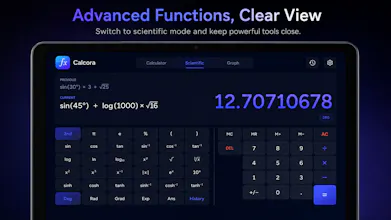
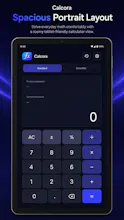
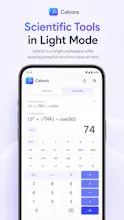
Calcora is a native Android scientific calculator for everyday and advanced math. Calculate with trigonometric functions, logarithms, natural logs, powers, roots, constants, parentheses, percentages, and longer expressions. Review previous results in local history and switch between light and dark themes. Built with Kotlin and Jetpack Compose, Calcora works offline with no account, ads, analytics, tracking, or internet permission.
No reviews yetBe the first to leave a review for Scientific Calculator :Calcora
Maker
📌
Hi Product Hunt! 👋
I built Calcora because I wanted a scientific calculator that was useful for both quick everyday math and more advanced calculations without feeling crowded or complicated.
It includes standard and scientific calculator modes, trigonometric functions, logarithms, powers, roots, constants, parentheses, percentages, and a local calculation history. I also designed it to work comfortably on phones and tablets, with both light and dark themes.
Calcora is completely offline. It does not require an account, show ads, use analytics, track activity, or request internet access.
I built the app natively for Android using Kotlin and Jetpack Compose, and I’m continuing to improve it based on real feedback.
I’d especially appreciate feedback about the scientific keypad, calculation display, and overall ease of use. What function do you use most often in a scientific calculator?
Report
Really appreciate the choice to ditch internet permission entirely, that kind of discipline shows the team actually thought about user privacy from the ground up instead of bolting it on later.
Report
Maker
@aslhanzgvei3km Thank you, Aslıhan! Really appreciate that. I wanted Calcora to feel simple and trustworthy, so removing internet permission was intentional from the start. For a calculator, everything should work offline and stay on the device.
Really appreciate the choice to ditch internet permission entirely, that kind of discipline shows the team actually thought about user privacy from the ground up instead of bolting it on later.
@aslhanzgvei3km Thank you, Aslıhan! Really appreciate that. I wanted Calcora to feel simple and trustworthy, so removing internet permission was intentional from the start. For a calculator, everything should work offline and stay on the device.