
Scanned PDF Compressor
Compress PDF files locally in your browser
9 followers
Compress PDF files locally in your browser
9 followers
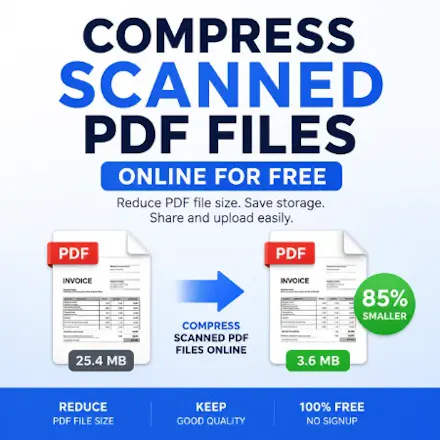
Scanned PDF Compressor is a free browser-based tool that helps reduce the file size of scanned PDF documents without uploading them to a server. Choose your compression level, process files locally in your browser, preview the results, and download the optimized PDF in seconds. Fast, private, and simple to use for scanned documents, forms, and paperwork.


Does the compression actually keep the text readable when I zoom in, or does it start looking fuzzy on smaller print from old forms I scan?
@kadriyexgyo Thanks for asking! The goal is to keep text as clear and readable as possible while reducing file size. The exact result depends on the quality of the original scan and the compression level you choose, but for most scanned documents the text remains easy to read even when zooming in.
Does the compression work well on PDFs that are mostly images of handwriting, or is it more tuned for printed text scans?
@ayselo1ci Thanks for the question! It works best with scanned PDFs, including image-heavy documents. If your PDF contains handwriting, it can still reduce the file size, although the amount of compression depends on the quality and content of the scanned images. Everything is processed locally in your browser, so your files stay private.
Runs entirely in the browser so nothing leaves your machine, which is exactly what you want for tax forms and medical records. Compressed a 40MB scan down to under 3MB with the text still perfectly readable.
@berkaywhq8 Thanks so much! I'm really glad to hear it worked well for your scanned document. I designed it to reduce file size while preserving readability, so it's great to hear the text stayed clear even after a big reduction. I really appreciate you sharing your experience!
the local processing approach is genuinely thoughtful, especially for anyone dealing with sensitive paperwork. nice work making privacy feel like the default rather than an afterthought.
@kran6vd7 Thank you so much! I really appreciate that. I wanted the tool to be simple, fast, and privacy-friendly, so everything is processed locally in your browser without uploading PDFs to a server. It also lets you adjust the compression level while keeping the workflow quick and straightforward. I'm really glad that approach resonated with you. Thanks again for the thoughtful feedback!