
Scanly - Scanner & PDF
Scan paper into searchable PDFs, all on your iPhone
10 followers
Scan paper into searchable PDFs, all on your iPhone
10 followers
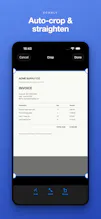
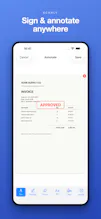
Scanly turns any document, receipt, ID, or whiteboard into a sharp, searchable PDF, right on your iPhone. Auto edge-detection, on-device OCR, signing, Face ID lock, even receipts to CSV, with nothing ever uploaded. Free to use; one-time Pro unlock, no subscription.



Launch Team

Render: Get up to $100K in startup creditsThe fastest way to launch and scale your startup in the cloud
Promoted
How well does the on-device OCR handle handwritten notes, like from a meeting whiteboard? Curious if it actually picks up messy cursive reliably.
@laydat2tm Honest answer: printed text is where it's strongest. Neat, print-style writing on a whiteboard usually comes through well, but messy cursive is genuinely hard for any on-device OCR, so Scanly will be hit-or-miss there rather than reliable. It runs on Apple's on-device Vision engine, so accuracy tracks what that can read - excellent for typed docs and receipts, variable for freeform cursive.
Two things that help a lot: even lighting and filling the frame with the text. If you have a whiteboard shot that trips it up, send it my way - those hard cases are exactly what I'm tuning against. Great question, thanks!
Scanned a crumpled receipt last night and it nailed the edge detection, then exported clean CSV without anything leaving my phone. The no subscription angle is genuinely refreshing these days.
@diyaruluda33157 Thank you 🙏 The crumpled-receipt-to-CSV path is one I sweated over, so it's great to hear it held up in the wild. And the no-subscription thing isn't a gimmick for us: a scanner sees your most private paperwork, so it felt wrong to keep it on your device and then charge rent for it. Pay once, it's yours. If you ever hit a receipt or edge-detection case that stumbles, send it over - always tuning. Appreciate you giving it a real run.
How does the OCR handle handwriting vs printed text, and does it keep the formatting when you export the searchable PDF?
@nurifxnx Two good questions. On OCR: printed text is where it shines - it's Apple's on-device Vision engine, so typed docs and receipts come through cleanly. Handwriting is variable: neat printing usually works, messy cursive is genuinely hit-or-miss (true of any on-device OCR).
On the searchable PDF: yes, formatting is preserved. The PDF keeps your original scan as the visible page, with an invisible text layer underneath - so it looks exactly like the document, and the recognized text sits behind it, fully searchable and selectable. You get the real layout plus searchability, not a reflowed text dump. Thanks.
The on-device OCR actually works offline on my phone, and the edge detection handled a crumpled receipt without me retaking the shot. Really refreshing to see a scanner that doesn't push a subscription.
@hmeyrapazc Love this, thank you 🙏 Offline was a hard requirement for me - a scanner sees your most private paperwork, so it should never need to phone home. And the crumpled-receipt case is exactly what I tuned the edge detection for, so great to hear it held up without a retake. No subscription is here to stay: pay once, it's yours. Appreciate you giving it a run!
The on-device OCR is surprisingly quick and the receipt to CSV actually pulled the totals right. Signing a doc with Face ID felt slick, definitely better than the clunky scanner apps I have used.
@asiyekfie Thank you, this is great to hear! Receipt-to-CSV pulling the totals right and Face ID signing are two things I really wanted to feel effortless rather than bolted-on, so I'm glad they landed. If you ever hit a receipt that trips up the totals, send it my way - those edge cases are exactly what I keep tuning. Thanks for the kind words 🙌