No reviews yetBe the first to leave a review for SaveChat
Maker
📌
Hi ProductHunt!
I'm Ayaan, and I built this little Chrome extension. It's literally just a button next to every ChatGPT response that saves it for you. I found I was constantly copy-pasting ChatGPT responses into a Google/Notion doc so that I could revisit them later, and I thought there had to be a better way to do it. Thus, over the weekend, I built SaveChat. (Clearly, I did not spend enough time on the name, haha.)
I've been trying to build cool indie products for months now, and coincidentally, this was the only one that I ended up using (a lot!).
Here are the current features:
- Save ChatGPT responses with one click
- Quickly copy the most recently saved response from the pop-up menu
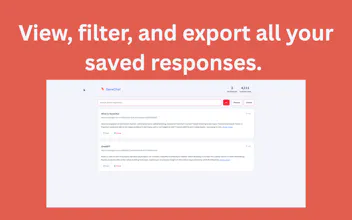
- Revisit and filter through all your previously saved responses.
- Export!
- It's also available for Firefox (this was a feature my mom wanted lol)
Some upcoming features:
- multi-account support
- tags or folders
- save the prompt as well
Anyways, if you've got any questions, bugs, or feature requests, drop 'em down here and I'll get to it asap. Thanks!
Report
@_aysyed I use ChatGPT on a daily basis and for multiple things. Most of the time I feel the need to have to save my chat responses and hence I used to manually save them in some editor. This feature (as an extension), I believe is worth having as I just need to click the Save button and it saves the conversation to my local drive. I can visit it later point of time and check the response.



@_aysyed I use ChatGPT on a daily basis and for multiple things. Most of the time I feel the need to have to save my chat responses and hence I used to manually save them in some editor. This feature (as an extension), I believe is worth having as I just need to click the Save button and it saves the conversation to my local drive. I can visit it later point of time and check the response.
Extremely helpful, Congrats on the launch!