Launching today

Saidkept
AI meeting notes from your Watch: promises, sent to Notion
2 followers
AI meeting notes from your Watch: promises, sent to Notion
2 followers
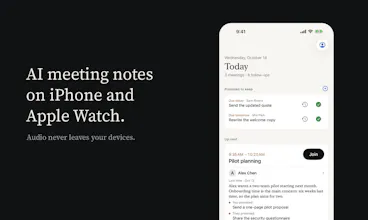
AI meeting notes on iPhone and Apple Watch. Record with everyone's agreement; the iPhone transcribes on-device and lists who promised what, each with its source sentence. Confirmed notes can go to Notion automatically.



Launch Team

Dropbox SignSimple, secure eSignatures for the way your team works.
Promoted
Hi Product Hunt, I'm Austin, and I built Saidkept. I meet a lot of people for work, and after a meeting the topic was never what I lost. It was the small promises: a quote I said I'd send by Friday, a proposal someone wanted to check with their team, a date we agreed to confirm. Writing them up and copying them into Notion was the step I skipped most often, so I built an app that does both.
How it works: once everyone in the room has agreed, you start recording on your iPhone or Apple Watch. The iPhone transcribes the audio itself (English, Chinese, or a mix) and suggests key points, commitments and follow-ups, each with the sentence it came from. You confirm what is right. Today then shows who you're meeting and what's due, and two daily notifications, at times you pick, remind you of the promises to keep in the morning and recap the day in the evening.
Notion: connect with one tap on Notion's own screen and tick the pages Saidkept may use. It can create a meetings and an actions database, or fill ones you have, such as a client or project list. Turn on "Send automatically after I confirm" (off by default) and confirming is the last thing you do: the meeting becomes a page and each action a task, linked to the person. If the app can't tell for sure which Notion page is a person, it leaves the link empty.
Privacy: audio never leaves your devices; you can even have it deleted as soon as you confirm a conversation. There is no account, and nothing is kept on our servers. Notion receives only what you confirmed, never audio or the full transcript. Key points are written on the iPhone where Apple Intelligence is available; you can also add your own key for Claude, GPT, DeepSeek, Qwen or Kimi (requests are shown to you first, unless you agree once to let a provider run automatically).
An honest note on the Watch: it keeps recording with your wrist down and the screen off, but a phone call or the system can stop it. When that happens, the Watch and the iPhone tell you and one tap continues, and the Watch reminds you if recordings are still waiting to reach the iPhone. In an 8-hour test of an earlier build in October 2026 it was recording 86.5% of the time. For a one- or two-hour meeting it works well; for a whole day, expect gaps.
Pricing: recording, transcripts, key points and promise tracking are free with no limits. Saidkept Pro, a one-time purchase, adds Notion and your own AI key: $19.99. Requires iOS 26 or later.
I'd like to hear how you keep track of promises after meetings today, and what you'd want in Notion that isn't there.