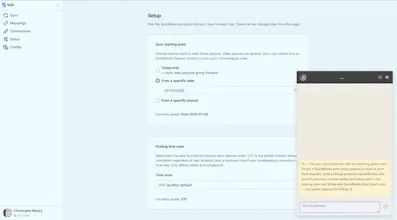
Per-transaction sync of Stripe charges, refunds, fees, and payouts into QuickBooks Online. AI explains every entry so your books match your bank. Pay per transaction, no subscription. USD only.
No reviews yetBe the first to leave a review for S2Q
Maker
📌
Hi Product Hunt, founder here 👋
S2Q started as a rant. Every tool that syncs Stripe into QuickBooks wants a monthly subscription. Why? Syncing transactions is a metered job. Some months you have 2,000 transactions, some months you have 40. Paying every month for a background task felt wrong, so I built the tool I wanted: pay per transaction, credits never expire, a quiet month costs nothing. Credits start at $10 for
100 transactions, cheaper in bulk.
What it actually does: instead of dumping thousands of charge-level entries into QuickBooks that never match your bank feed, S2Q posts one itemized entry per Stripe payout, with gross, fees and refunds broken out. The entry equals the deposit to the cent, so reconciliation becomes a one-click Match.
My favorite part: every sync can explain itself. There is an AI you can talk to about any synced payout. Ask "why is this deposit $2,247 when I sold $2,310" and it walks you through every line it posted.
Honest limits, stated up front: Stripe to QuickBooks Online only, USD only for now. Dry-run mode previews every entry against your real data before anything posts.
I was customer #1 and it has reconciled my own books for months. Ask me the hard questions: what would stop you from connecting this to your books? And if you want to see it on your own data, ping me in the comments and I will add enough credits to your account to sync a full month of your transactions.
Report
honestly this looks great for someone like me who hates reconciling manually. one thing that would help a lot is matching partial refunds to the original charge so they show up as a single line item instead of separate entries that i have to dig through.
Report
Maker
@learningp Thanks! And that is exactly the itch that started this. About partial refunds, the good news: they are already tied back to their original charge. When a refund shows up in a payout, S2Q looks up the charge it came from and posts the refund against the same customer and the same product item, with the Stripe ids in the memo. So in QuickBooks the pair sits together under the customer instead of being an orphan line you have to hunt down.
The one thing we deliberately don't do is fold the refund into the original charge as a single line. A refund usually lands in a later payout than the sale, often a different month. Netting them would misstate revenue in both periods and your deposits would stop matching the bank. Separate but linked is what keeps every payout matching to the cent.
Also the digging part is exactly what the built-in AI is for: ask it about any refund and it tells you which charge it belongs to and how it hit the payout. This is something only us do.
Report
A flat per-transaction price sounds great until you have a slow month, so maybe add a small monthly minimum or a few free syncs to keep things predictable for tiny shops. That would make the pricing feel friendlier before things ramp up.
Report
Maker
@fatma_c6670 Thanks Fatma! Funny enough, the slow month is where this model does its best work. If you synced 12 transactions, you pay for 12, and the rest of your credit pack just sits there, because credits never expire. A monthly minimum would turn that quiet month back into a bill, which is the exact thing S2Q was built to avoid. The predictability comes from the price tracking your sales: busy month, you made money anyway; quiet month, you pay almost nothing. And for a tiny shop that wants to feel it out first, the offer in my first comment stands: ping me and I'll load enough credits to sync a full month of your transactions.
honestly this looks great for someone like me who hates reconciling manually. one thing that would help a lot is matching partial refunds to the original charge so they show up as a single line item instead of separate entries that i have to dig through.
@learningp Thanks! And that is exactly the itch that started this. About partial refunds, the good news: they are already tied back to their original charge. When a refund shows up in a payout, S2Q looks up the charge it came from and posts the refund against the same customer and the same product item, with the Stripe ids in the memo. So in QuickBooks the pair sits together under the customer instead of being an orphan line you have to hunt down.
The one thing we deliberately don't do is fold the refund into the original charge as a single line. A refund usually lands in a later payout than the sale, often a different month. Netting them would misstate revenue in both periods and your deposits would stop matching the bank. Separate but linked is what keeps every payout matching to the cent.
Also the digging part is exactly what the built-in AI is for: ask it about any refund and it tells you which charge it belongs to and how it hit the payout. This is something only us do.
A flat per-transaction price sounds great until you have a slow month, so maybe add a small monthly minimum or a few free syncs to keep things predictable for tiny shops. That would make the pricing feel friendlier before things ramp up.
@fatma_c6670 Thanks Fatma! Funny enough, the slow month is where this model does its best work. If you synced 12 transactions, you pay for 12, and the rest of your credit pack just sits there, because credits never expire. A monthly minimum would turn that quiet month back into a bill, which is the exact thing S2Q was built to avoid. The predictability comes from the price tracking your sales: busy month, you made money anyway; quiet month, you pay almost nothing. And for a tiny shop that wants to feel it out first, the offer in my first comment stands: ping me and I'll load enough credits to sync a full month of your transactions.