Launching today

Runrail Desktop
Runrail Desktop brings coding agents into one workspace
4 followers
Runrail Desktop brings coding agents into one workspace
4 followers
Plan, build, review, and evaluate AI-generated code from one local-first desktop workspace - with your own models, reusable Setups, Evals, Memory, MCP, Skills, Subagents, and Plugins.




Free
Launch Team / Built With


CloudflareDeploy serverless functions globally in seconds
Promoted
Hey Product Hunt 👋
AI coding gets messy quickly when you’re juggling multiple projects, agents, models, branches, terminals, and half-finished conversations. We built Runrail Desktop to give all of that work a home.
Runrail is an open-source, local-first workspace for coding agents. Use Claude Code, Codex, GitHub Copilot, Pi, or Runrail’s native agent, and connect the model or provider you already use. No account required. No telemetry.
The Office view gives you a clear overview of your projects, active threads, reusable Setups, running Evals, scheduled work, and anything waiting for your attention.
Inside each thread, you can follow the entire process as it happens: plans, tool calls, terminal output, file changes, diffs, checks, and results. Choose Plan, Ask, Auto-edit, or Full access, with approval cards showing the exact command or file change before it runs. Keep terminals, files, diffs, and browser previews beside the conversation, or use dictation and talk mode when typing is not convenient.
Runrail is built for repeatable engineering workflows, not just one-off prompts. Create Setups with separate planning, execution, and review roles, each with its own model, permissions, checks, and budget. Run Evals against real coding tasks in isolated Git worktrees, compare agents and models with Best of N, and review results in a clear scoreboard.
When the work is ready, review, stage, comment on, and commit changes. Inspect pull requests, review threads, and checks from the same workspace. Bring over existing sessions, project instructions, Memory, Skills, and MCP servers. Add Subagents, Plugins, and connectors for tools like GitHub, Linear, Jira, and Slack.
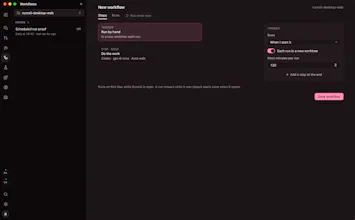
Run workflows manually, on a schedule, or in response to pull request events. Notifications and menu-bar mode keep background work visible without interrupting your day.
Runrail is free and open source. It is designed to make AI coding feel less like juggling disconnected tools and more like working in a clear, observable engineering workspace.
What part of working with coding agents do you most want to keep in view?