
RetroLauncher
Organize and launch your retro games in one place
7 followers
Organize and launch your retro games in one place
7 followers
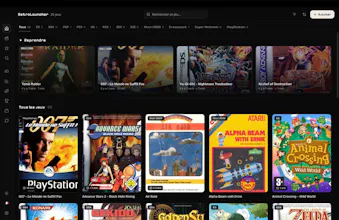
RetroLauncher centralise tes émulateurs et tes jeux rétro sur Mac, Windows et Linux. Installation des émulateurs en 1 clic, trophées RetroAchievements, fiches façon Netflix, mode TV manette. Beau, simple, 100 % local.


Free
Launch Team

Framer AI AgentsDesign and publish professional sites with AI
Promoted
How does the local-only setup actually handle game saves if I switch between my Mac and PC, or am I stuck manually copying files?
@yldzk88q Honest answer: today, RetroLauncher doesn't sync saves between machines. Each emulator writes its saves in its own folder (that's where they'd be with or without RetroLauncher), so switching Mac ↔ PC means copying them manually for now.
This is exactly the kind of clean launcher I wish I had years ago. Hooked up RetroAchievements in two clicks and my PS1 library finally feels organized instead of buried in folders.