Manual resource editing is over. Automate icon, string, manifest & version edits across EXE/DLL files in seconds using VBScript templates: CLI-based efficiency for any Windows developer or team. Command-line power for those who hate clicking through GUIs.
Hey PH gang!
You’ve got Git, builds, tests, deploys — all handled.
But icons? Version numbers? Manifest tweaks? Still done manually after the build?
Every time your team ships an internal tool, someone needs to update the version info, copyright, product name, or manifest. Usually, it’s the same developer manually opening a GUI editor — again.
Resource Tuner Console plugs right into your pipeline.
Call scripts as part of any CI job — Jenkins, GitHub Actions, TeamCity, Azure DevOps, etc.
Use this CLI tool to silently patch, brand, or localize your binaries after build, include script logic, or use ready-made scripts to apply consistent branding, legal notices, or compliance metadata.
How does it work?
① Script Creation: Users either compose scripts that contain resource editing operations, or use pre-configured and ready-to-run examples.
② Specifying File Paths: Users specify the file names and paths for both the source and destination locations within the script.
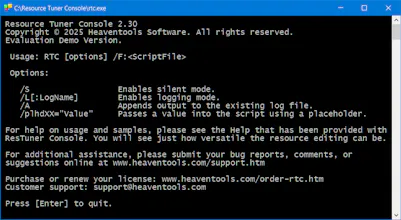
③ Execution via Batch File: RTC is initiated from a batch file. Resource Tuner Console processes the script, edits the specified file's resources according to the defined operations, and saves the modified file to the destination location.
RTC reads and executes scripts using the Windows Script Host engine. Since the Windows Script Host is part of the standard OS installation, you can run RTC on any Windows machine with ease.
Run once. Done forever.
Works in builds. Works in bulk. Works like magic.
Thank you,
Team RTC
Report
No reviews yetBe the first to leave a review for Resource Tuner Console