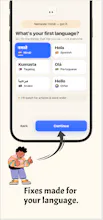
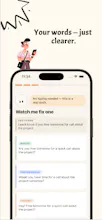
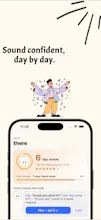
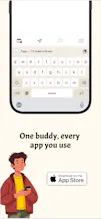
Grammarly lives in your browser and Google Docs. Most non-native English speakers write from their phone, in apps Grammarly never touches: WhatsApp, Instagram DMs, Slack, iMessage, Gmail. ReplyPixel is a keyboard. Type your draft in your own English, tap fix, and it rewrites it in one of three tones — casual, polite, professional — right where you're typing. No copy-paste into a website, no switching apps, no waiting for a browser tab to load.
Non-native English speakers carry real anxiety over something as small as a text to a boss or a landlord — does this sound wrong, rude, or like a translation? Grammarly owns that anxiety on desktop. Nobody owns it on the phone keyboard, where it happens every day.
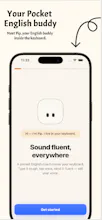
ReplyPixel is a pocket English buddy that lives in your keyboard, not a chat box you copy into and not a browser extension. Type your draft the way it actually comes out — wrong tense, missing words, unsure phrasing — in whatever app you're already in. Tap Pip and it comes back in three tones, Native, Professional, Friendly, still recognizably you.
The approach changed a lot while building it. Early on, the keyboard also read your clipboard so it could help you reply to other people's posts — a "reply helper," basically. I ripped that out. It made the "Allow Full Access" permission feel sketchy, and it wasn't what people actually used it for. Now it only reads your own draft, only when you tap, only to rewrite it — nothing from your clipboard ever touches the AI.
Live on iOS now, Android beta open if you want in early.
Would love feedback from anyone who's paused before hitting send, unsure if their English sounded right. I'll be in the comments all day.