No reviews yetBe the first to leave a review for Reelframe
Maker
📌
Hey Guys !👋
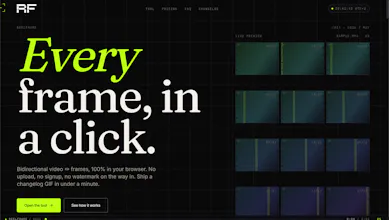
I built Reelframe because I kept hitting the same wall: I'd need one clean frame from a video — a thumbnail, a reference shot, a specific moment — and every tool
wanted me to upload my file to a server, create an account, or slap a watermark on it.
That never sat right with me. Grabbing a frame out of a video is a 2-second job. It
shouldn't cost me my privacy, my time, or my email address.
So Reelframe does the whole thing in your browser. Your video never leaves your device — nothing is uploaded anywhere. No signup. And it works both ways: drop a
video to pull every frame, or drop a set of frames to stitch them back into a video.
The trickiest part was keeping it fast on large videos without freezing the tab — that took a few rewrites to get right.
Would love your feedback 🙏 What would you use frame extraction for?
Report
This is one of those small tools that solves a very annoying problem.
What use case pushed you to build both directions — extracting frames, or stitching frames back together?
Report
Maker
@dmitrii_volosatov Thanks Dmitrii! Honestly, the extract direction came first — I kept needing clean stills from screen recordings for blog posts and thumbnails, and every "online video
to image" tool either watermarked the output, capped the resolution, or uploaded my footage to a server I didn't trust.
The stitch direction came once I started using it. I'd export frames, retouch a few in Photoshop (fix a typo in a UI screenshot, blur a face, swap a logo), and then
realized I had no quick way to put them back into a clean MP4/GIF without firing up a full editor. So I added the reverse path. Same constraint: everything stays in
the browser, no upload.
Turns out a lot of people in the same loop — designers reviewing animations frame-by-frame, devs grabbing reference for CSS animations, folks making GIFs from short
clips. The bidirectional nature was less of a "feature" and more of a "of course it should do both.
This is one of those small tools that solves a very annoying problem.
What use case pushed you to build both directions — extracting frames, or stitching frames back together?
@dmitrii_volosatov Thanks Dmitrii! Honestly, the extract direction came first — I kept needing clean stills from screen recordings for blog posts and thumbnails, and every "online video
to image" tool either watermarked the output, capped the resolution, or uploaded my footage to a server I didn't trust.
The stitch direction came once I started using it. I'd export frames, retouch a few in Photoshop (fix a typo in a UI screenshot, blur a face, swap a logo), and then
realized I had no quick way to put them back into a clean MP4/GIF without firing up a full editor. So I added the reverse path. Same constraint: everything stays in
the browser, no upload.
Turns out a lot of people in the same loop — designers reviewing animations frame-by-frame, devs grabbing reference for CSS animations, folks making GIFs from short
clips. The bidirectional nature was less of a "feature" and more of a "of course it should do both.