Receipt Manager

Receipt Manager

Splitting costs of purchases

0 followers

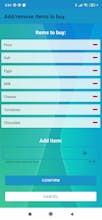
Buying groceries with roommates? Having lunch with friends or coworkers? Receipt Manager makes it easy to split costs of your purchases and keep track of your expenses. Split the bill with Receipt Manager!

Receipt Manager gallery image
Launch tags:AndroidProductivity
Launch Team
Anima Playground
AI with an Eye for Design
Promoted

What do you think? …

Oleksandr Senyuk
Very useful way to make these kinds of tasks more civilized. What does "you borrowed" indicate? Did the person borrow from a known balance or from one of the other people? It doesn't really indicate that.
Jan Suselj
Hey, @oleksandr_senyuk. Thank you for your question. "You borrowed" indicates that the person borrowed from the group. For example, let's say I want to create a purchase with a price of $100 and split costs 4 equal ways with my roommates. I would first create a group to which I would invite all my roommates. Then I would create a so called "Receipt" which indicates one purchase. Since I paid $100 and my cut was $25, I lended $75 ($25 to each of my 3 roommates) to the group. Each of the other roommates borrowed $25 from the group. When the next time one of my roommates makes a purchase for $100 which they also want to split 4 equal ways, app is gonna calculate that the amount I borrowed with that "Receipt" was $25 and in total I lended $50 to the group -> $75 (which I lended to the grup with the first "Receipt") - $25 (which I borrowed to the group with the second "Receipt") = $50. I hope this answers your question. If you have any more questions please don't hesitate to ask. :)
Jan Suselj
Hi Product Hunt! New release of Receipt Manager is now available on Google Play Store with several new features such as support for multiple currencies, searching for spendings based on location and other good stuff. But don't let me tell you, check it out for yourself at https://play.google.com/store/ap...