
QuokkaPix
Browser-local image workflows for humans and AI agents
5 followers
Browser-local image workflows for humans and AI agents
5 followers
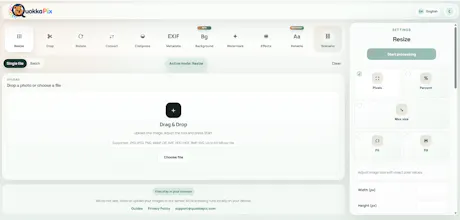
QuokkaPix is a browser-local image workflow editor for resizing, cropping, compression, conversion, background removal, metadata cleanup, watermarks, PDF tools, batch processing, and reusable scenarios. It also exposes an agent runtime API and local MCP adapter so AI agents can process local files through the browser without a public server-side image-processing API.



Hey Product Hunt 👋
QuokkaPix started as a browser-local image editor for repetitive image preparation, but it has grown into a workflow tool for both people and AI agents.
The main idea is still simple: prepare images without sending private files to a remote image-processing server.
With QuokkaPix you can now:
✅ Resize, crop, rotate and convert images
✅ Compress images and export WebP, AVIF and other formats
✅ Remove or replace backgrounds locally in the browser
✅ Clean EXIF/GPS metadata, including lossless cleanup for supported formats
✅ Add watermarks
✅ Process batches and reusable multi-step scenarios
✅ Import ZIP files for batch workflows
✅ Use PDF tools: merge PDFs, split PDFs and extract pages
✅ Prepare marketplace and social media image packs
✅ Use sourced rule profiles for ecommerce image requirements
A big new part of the project is agent support.
QuokkaPix exposes a browser runtime API, machine-readable capabilities, result manifests, QA checks, official recipes, experimental WebMCP tools and a local MCP adapter. The adapter opens QuokkaPix in a local browser and passes files through the browser file input, so agents can automate local image workflows without silently uploading files to a public processing API.
There is also now a public benchmark and browser compatibility documentation, because browser-local processing depends on real browser capabilities, formats, workers, WASM encoders and local device limits.
Useful links:
Live app: https://quokkapix.com/
Agent docs: https://quokkapix.com/agents.html
MCP adapter: https://github.com/quokkapix/quo...
Benchmark: https://quokkapix.com/en/browser...
I’d especially appreciate feedback on:
1. whether the workflow/scenario model is clear;
2. whether browser-local processing feels like the right privacy boundary;
3. whether AI-agent support through a local browser + MCP adapter makes sense;
4. which image, PDF, marketplace or batch workflow is still missing.
Thanks for checking it out. I’ll be around to answer questions and collect feedback.