
Quick Sub 2: Video Subtitling
Quick, creative video subtitling with direct canvas control.
122 followers
Quick, creative video subtitling with direct canvas control.
122 followers
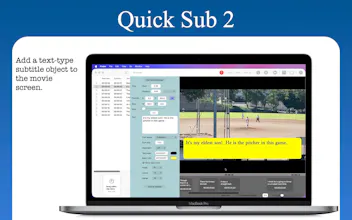
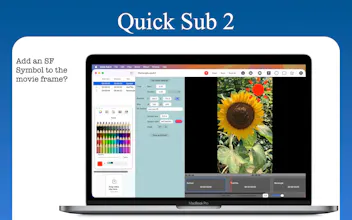
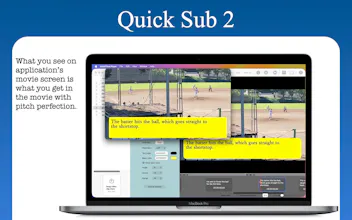
Quick Sub 2 is a streamlined macOS application built from the ground up in SwiftUI for creative video subtitling. Get independent control over text styling, container geometry, and rotation angles. Drag subtitle objects directly on the video canvas for perfect positioning, apply batch styles across multiple objects with a single command, and use a dynamic timeline that scales from 0.1x to 10x for precision timing. The application has full native Undo/Redo stacks andqsub2 file persistence.






BetterClaw
the direct canvas control is what most subtitle tools get wrong. dragging text exactly where you want it instead of picking from preset positions sounds small but it's the difference between subtitles that work with your footage and ones that fight it. does it handle auto-transcription too or is it purely for styling and placement after you have the text?
Quick Sub 2: Video Subtitling
@shubham4real
You can click on the Save as Default button at the bottom of middle pane. Then you can either manually click on the Set saved settings at the top or turn on the Use saved settings checkbox under the canvas.
Nope. I have no intention of having such a feature for the time being.
SwiftUI native on Mac is rare for video tools, nice to see. Dragging subtitles straight on the canvas feels way faster than keyframing in Premiere. Timeline zooming down to 0.1x is genuinely useful for tight caption timing.
Quick Sub 2: Video Subtitling
@yeliz950491 Thanks, Yeliz. In fact, the Timeline-zooming feature is something that Quick Sub 1 didn't have. And it's one of the main reasons for which I've decided to work on Version 2.
I like the focus on subtitle editing instead of a full video editor. Can Quick Sub 2 work with subtitles generated by AI tools, so users can fine-tune the styling and timing afterward?
Quick Sub 2: Video Subtitling
@vaishnavi_makode
Nope.
How does the qsub2 file format handle compatibility with other subtitle tools or editors like Premiere or Final Cut, or is it pretty locked into its own ecosystem?
Quick Sub 2: Video Subtitling
@neslihanivdn6j Quick Sub 2 has its own file type structure that has nothing to do with Premiere and Final Cut. I don't know how their file types are structures. And I'm not going to buy their products so that I can test them in order to promote this application, which is currently distributed freely.
Finally tried this and the drag-on-canvas positioning feels really natural, especially with the timeline zoom for fine-tuning cues. Batch styling multiple subs at once is a nice time-saver too.
As someone who subtitles a lot of my own videos, the direct canvas dragging is exactly the friction I keep hitting elsewhere. Positioning subtitles is always a fight, so being able to just drag them where you want is a real quality-of-life win. Batch styling across objects is the other thing that actually saves time on a full video. Nice touch building it native in SwiftUI too. Quick question: does it export burned-in subtitles, or also standard .srt for social platforms? Congrats on the launch.
The drag-to-position directly on the video canvas is such a smart workflow choice, makes fine-tuning placement feel natural instead of fighting with sliders.