
QrLitz
Print once. Change the link—not the sticker.
7 followers
Print once. Change the link—not the sticker.
7 followers
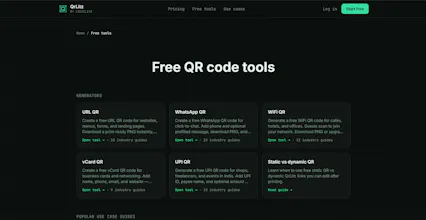
Most QR tools charge $15–29/mo for one thing: changing where a printed code goes without reprinting. QrLitz is built around that. Print once, update the destination from your dashboard when the menu, promo, or RSVP link moves. Free: 2 dynamic codes, scan tracking, PNG. Paid from $29/year. Pro: $99/year, 10 codes, custom slugs, custom domain. Free static generators for URL, WiFi, WhatsApp, vCard & UPI, no signup. For cafes, events, D2C brands tired of re-sticking QR overlays.




Free Options
Launch Team / Built With


Customer.ioAutomate Messaging Everywhere — Startups Get 12 Months Free
Promoted
printed a code on a test card and swapped the link from my phone, watched the scans come in right after. nice that the free tier actually lets you track, not just generate.
@enayy8ya
Thank you, Şenay! 🙌
The exact scenario you described, printing once and being able to change the destination later without reprinting. This is one of the main reasons I built QrLitz.
Out of curiosity, what was the QR code for when you tested it? Menus, events, business cards, or something else?
I'm collecting real-world use cases from early users and would love to see which ones surprise me most. 😊
Love that the free tier actually lets you track scans and update destinations instead of just gating it behind a paywall. The "print once, fix it later" pitch hits exactly right for anyone who's scrambled to re-stick QR codes on a café table.
@hasanirantcwnt
Thanks a lot, Hasan! 🙌
That café-table scenario is actually very close to the problem that inspired me to work on dynamic QR codes in the first place. Reprinting materials because a link changed always felt like unnecessary friction.
I'm curious if you were using QrLitz for a real café or restaurant, what would be the one feature you'd want next after scan tracking?
Have you considered adding bulk CSV import for redirect URLs? When running promos across 40+ stores, updating each QR destination one by one gets painful fast. A spreadsheet upload with a column for the old slug and new destination would save hours during menu changes or campaign swaps.
@esmatztb
That's a fantastic suggestion, Esma. 🙌
Bulk CSV import wasn't on the immediate roadmap, but your 40+ store example makes a strong case for it. I can definitely see how updating destinations one by one would become a bottleneck at that scale.
If I were to build this, would you prefer a simple CSV upload workflow, or a Google Sheets sync so updates could happen automatically?
Feedback like this is exactly what helps shape the product. Thank you!