QAPixel is a Chrome extension that compares your live site to its Figma design and reports every mismatch — padding, color, font-weight, radius, spacing — as an exact pass/fail report you can export. No Figma plugin needed. Works on any live or staging build.
No reviews yetBe the first to leave a review for QAPixel
Maker
📌
Hey Product Hunt,
I kept shipping UIs that had quietly drifted from the Figma design — padding a few px off, the wrong font-weight, a radius that didn't match — and catching it too late, usually from a client. Visual-overlay tools just let you squint at two layers; I wanted something that actually MEASURES the difference.
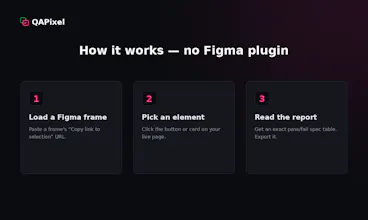
So I built QAPixel. You:
1) paste a Figma frame link,
2) click the element on your live page,
3) and it finds the matching Figma layer and gives you a property-by-property pass/fail report — padding, color, font-size/weight, line-height, letter-spacing, radius, opacity. Export it to HTML and drop it in a ticket.
No Figma plugin, works on any live/staging build, and it reads Figma through your own read-only token (nothing leaves your browser).
There's a free tier (full engine, 1 pairing) and a Pro unlock for unlimited pairings + export.
I'd love your feedback — especially edge cases where the match is tricky. What would make this a daily-driver for you?