
PyTogether
Google Docs for Python, with Voice & Drawing capabilities.
10 followers
Google Docs for Python, with Voice & Drawing capabilities.
10 followers
The 'Google Docs for Python.' A free, open-source, and frictionless collaborative browser IDE built for communication, not just coding. PyTogether lets you draw/highlight directly on code with virtual markers, and voice chat; perfect for tutors, students, educators, and interviewers. Runs entirely in the browser (WASM) with extremely minimal setup. Automatically installs imported libraries and supports matplotlib, numpy, etc.


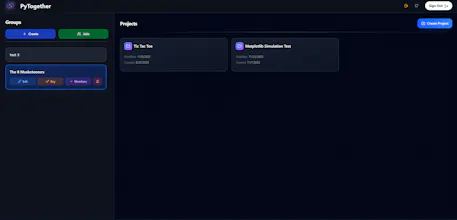


Hey Product Hunt!
I'm Jawad, a second-year Canadian engineering student.
I built PyTogether to scratch my own itch. I realized that while tools like Replit are amazing, they are designed for shipping software, not necessarily for explaining or learning it (in other words, for education). I wanted to fill that gap; an easy-access and intuitive tool, like Google Docs, where others can seamlessly work together on Python scripts without needing to worry about complicated configurations, environments, downloads, or setups.
I wanted a communication-first browser IDE; something that feels less like a terminal and more like a whiteboard. A proper tool targeted towards beginners, learners, educators, tutors, etc.
So, what makes PyTogether different?
🎨 Draw on Code: Grab a virtual highlighter or pen and circle logic errors directly on the lines of code. The drawings are anchored to the IDE, so they scroll with the code!
🎤 Built-in Voice and live chats: No need to juggle a Zoom window and an editor.
⚡ 100% Client-Side: It runs on Pyodide (WASM, meaning it runs directly on your browser), so it's fast, private, and free.
🚫 No AI (Intentional): I designed this for learning. There is no Copilot to auto-complete your homework; it’s just you, your group, and the logic.
For the Geeks
Here is the stack under the hood:
- Runtime: Pyodide (WebAssembly) via a web worker; Python runs entirely in the browser.
- Sync Engine: Y.js; Real-time CRDT magic for conflict-free editing.
- Frontend: React + Tailwind + CodeMirror.
- Backend: Django + Celery + Redis (handling signaling, auth, and async autosaves).
- Infrastructure: Docker + GitHub Actions + Supabase (PostgreSQL).
I built this entirely solo as a personal project initially, before it started to gain some traction and success (it started with a small feature on a Python newsletter!). This project is still relatively new, and I have a lot of stuff planned on my roadmap going forward! All support is heavily appreciated!!
It’s also fully open-source and free, and I’m currently looking for feedback. Let me know what you think!
@sjriz Impressive stack for a solo build, curious how you plan to grow the roadmap from here.
Swytchcode
Really nice project. Try to expand this to other languages
@chilarai That's the dream. Since this architecture is 100% Client-Side WASM, I can theoretically add languages like Rust or C++ by trying to integrate their respective WASM compilers (the entire point of my website is to run code completely in the browser anyway; saves a lot of resources for me, which is why I can make this free to use).
Right now, I'm laser-focused on making the Python experience perfect since it's the most widely used language, especially for education, but I'll definitely be exploring multi-language support!!
Swytchcode
@sjriz awesome! looking forward