
PulsarCast
A private podcast player built for serious listeners
29 followers
A private podcast player built for serious listeners
29 followers
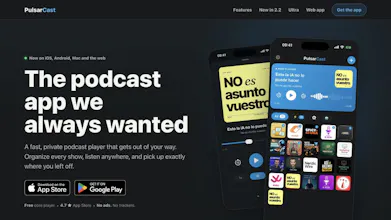
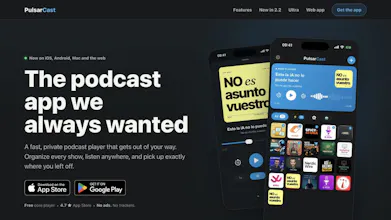
PulsarCast is a fast, private podcast player for people who listen every day. It works on iPhone, iPad, Android, Mac, Apple Watch, CarPlay, Android Auto and the web. Organize episodes with powerful lists and an Up Next queue, download them with per podcast rules, and enjoy Smart Speed, Voice Boost, chapters and timestamped transcripts. The core player is free, requires no account and has no ads or third party trackers. Optional AI tools are available with PulsarCast Ultra.



Free Options
Launch Team

LightfieldAI-native CRM that builds itself and does work for you
Promoted
One thing I'd love is a sleep timer that can be tied to a specific chapter or remaining time in an episode, rather than just a generic 15 or 30 minute cutoff. That way I can fall asleep mid podcast without losing my place for the next night.
@serdar948359 That’s a very good idea, Serdar. PulsarCast already has “End of episode”, but not “End of chapter”. I listen in bed too and can see exactly why that would be better. I’m adding it to the list. A short rewind when you resume the next night could be useful as well.
Finally a podcast app that works everywhere I do, and the CarPlay integration felt surprisingly snappy compared to my usual one. The Smart Speed actually saves real time on long episodes without making voices sound weird.
@yusufgbelbkvy Thanks, Yusuf. CarPlay was one of the non-negotiables for me because I use it constantly, so “snappy” makes me very happy. And yes, Smart Speed should save time without making everyone sound like robots. That balance took a lot of fiddling.
Been using PulsarCast for a few weeks and really like the clean interface. One thing that would make it even better: a simple "mark all as played" button for a list or feed. Sometimes I want to clear out old episodes quickly without swiping each one individually.
@resulbozacd2hm Good news for podcast feeds: this is already there, but clearly too hidden 😅 Open a podcast and use the menu at the top. You’ll find “Mark all as played” and “Mark all as unplayed”. User lists don’t have it yet, so I’m taking your comment as a vote to add it there too. Thanks, Resul!
Love that it's account-free and respects privacy, that's a huge plus for a daily listener like me. One thing I'd love to see is cross-device sync of playback position and Up Next queue through end-to-end encrypted backup, maybe via iCloud Drive or a personal WebDAV folder. That way the "no account" promise stays intact while my listening follows me between my phone, watch, and Mac without trusting a server.
@sudenuriskr5xt This is a really thoughtful suggestion, Sudenur. Sync today is optional and uses a passwordless PulsarCast account, while the player itself stays account-free. iCloud or WebDAV would be a lovely route for people who want sync without trusting our server. The tricky part is making it work across Android and the web too, but you’ve definitely got me thinking.
The no-account, no-tracker approach is genuinely refreshing, and the per-podcast download rules actually feel useful instead of gimmicky.
@orhansoykapwbr Thanks, Orhan. I’m glad the download rules landed. I built them because I was tired of either downloading everything or managing every episode by hand. And yes, no account unless you want sync. That part was non negotiable for me.
finally a podcast player that doesn't shove an account screen in my face on first launch, the no-trackers no-ads free core with optional ultra tier is such a refreshing move.
@nurullahgngf Thank you, Nurullah. I really didn’t want the free version to feel like a demo with all the useful bits removed. People should be able to listen normally, privately and without creating an account. Ultra has to earn its place with genuinely extra tools instead of holding basic playback hostage.