
Proxly
The smart browser chooser for macOS
66 followers
The smart browser chooser for macOS
66 followers
I built Proxly to fix my own browser chaos. Now it can fix yours too. 🚀 Let Proxly route your links intelligently to the right browser based on your custom rules. Supports browser profiles, multiple domain constraints, source app constraints, Focus modes.


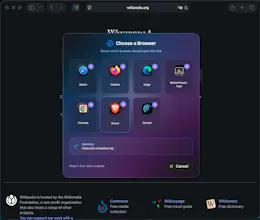
Proxly
Hi Product Hunt!
I’m Pawel, and I usually work in DevOps—but I’ve always wanted to build a Mac app. Earlier this year, I finally took the plunge and Proxly grew out of a personal frustration:
I work with multiple clients and projects, which means juggling different MS Teams accounts, GitHub repos, Microsoft profiles, and personal stuff. Switching between browser profiles, copy-pasting links, and generally wrestling with tabs was eating up way too much time.
So I built Proxly: a browser router for macOS.
• It acts as your default browser
• Captures links
• Applies rules you set
• Sends them to the right browser (or even the right profile) automatically
You can build rules with multiple domain constraints, source app constraints, based on Focus modes or time. There are even browser extensions that you can use with your Chromium-based/Firefox-based/Safari browsers: https://github.com/pawel-mazurki...
Alternatively at Chrome Web Store: https://chromewebstore.google.co...
and AMO: https://addons.mozilla.org/en-US...
✨ Key things I focused on:
• Accessibility (VoiceOver + High Contrast supported)
• Privacy (no data collection)
• Simple pricing - no subscriptions
• Localizations from day one (English, German, French, Spanish, Polish, Dutch and Italian)
• macOS 14+, Universal binary
I’ve been dogfooding it for months, and it’s already made my workflow saner. Now I’m excited to share it with all of you. 🙌
There is 7 day trial available in the standalone version on Gumroad
🌎 Product site: https://proxly.chillaid.art
💡 You can grab Proxly here: https://chillaid.gumroad.com/l/p...
🍏 Alternatively you can get it on the App Store: https://apps.apple.com/us/app/pr...
🔧 Issues / feedback welcome: https://github.com/pawel-mazurki...
I’d love to hear your thoughts, feature requests, or even edge cases you’d want covered. This is my first real Mac app, so your input means a lot. I have a lot of things to come in store for this one as well.
Thanks for checking it out! 🚀
Neat tool. Routing links intelligently to different browsers could save tons of friction. Curious to see how flexible rule creation gets over time!
This looks really promising. I used to use another tool that just let me select a browser to launch on every click so I love the idea of a rule based choice. Purchased and now looking forward to trying it out.
How do you select the profile you want to use when choosing the browser?
Proxly
@michael_lacalameto sorry for late reply. First, if you're using MAS version, you'll first have to download ProxlyHelper - https://proxly.chillaid.art/proxlyhelper/en as the Apple Sandbox prevents me from adding this feature built-in the MAS application itself. Then you need to follow the same process as for the standalone version of the app, which is:
Go to Settings tab
Go to Profile Features card
Toggle Enable profile features: On
Click Manage permissions below
Grant access to the directories of the browsers for detecting profiles
Then you should be able to select profiles when adding/editing rules :)