
Prompt Optimizer
Professional prompt engineering without the learning curve!
10 followers
Professional prompt engineering without the learning curve!
10 followers
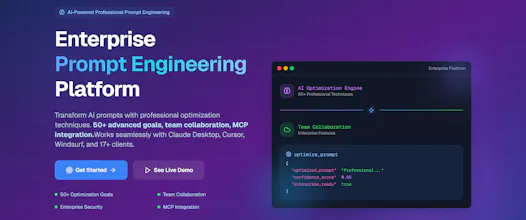
Transform simple AI prompts into optimized, context-aware requests—no prompt engineering required. 🎯 Highlights: • Dual-mode: Privacy-first local engine (offline) + cloud AI with context SOPs • Context intelligence: Auto-detects prompt types and applies 127 optimization rules • Integrates with Claude Desktop, Cursor, Windsurf, VS Code, Zed, and 10+ AI tools 💎 Free forever (5/day), smart templates, team sharing, cross-platform, secure, scalable, developer-friendly, and analytics-ready.
Interactive


Free Options
Launch Team / Built With


Exciting news for everyone looking to optimize their prompts! We've listened to your feedback and are thrilled to announce a major upgrade to our free trial. Previously, you had 48 hours to explore all the features of Prompt Optimizer. Now, we're extending that to a full 7-day free trial!
I sometimes ask AI for prompts because I get too lazy to come up with them myself. So I’m wondering , does this actually have AI built in, or is it more of a database-based system?
@albert_sun91 The systems are comprised of a "Rules" based engine and intelligent routing that uses regex patterns and "Playbook" templates, an "LLM" engine that uses a Large Language Model and a "Hybrid" engine that is a combination of both. The Rules based engine is the starting point. If the prompt can be transformed with just the Rules engine, it takes over the optimization process without calls to an LLM. For more nuanced/complex prompts, the Hybrid tier is activated and uses the LLM + the Rules tier. The routing is based on the original prompt's context, patterns, length and structure.
Congrats on the launch!
How does the local engine balance privacy protection with the context awareness features of the cloud mode?
@sanskarix Thank you!.
The MCP Server (local engine) uses deterministic, rule-based analysis that runs entirely on your machine.
Here's a breakdown of what's happening behind the scenes:
User Prompt Input
↓──────────────────────────────────────────────────────────────
Local Analysis Pipeline (All on your machine):
├── Pattern Recognition (regex, keyword matching)───────────────────────────────────────────────────────────
├── Structure Detection (code blocks, parameters, formatting)
├── Content Classification (technical vs. creative vs. business)
├── Parameter Preservation (--ar, --v, API calls, code syntax)
└── Goal Application (50+ optimization rules)
The optimized prompts never leave your machine.
All pattern matching runs locally, no data sent to external servers, no AI model calls required for basic optimization, no telemetry or analytics sent out, works 100% offline.
The "Cloud" mode follows the same flow. If the system determines it can handle your prompt without using the LLM or Hybrid Tier, it uses the "Rules" tier without calling the LLM.