Privacy Magic is a new, open-source extension for Chrome that comprehensively protects your privacy as you browse the web, far beyond the protection provided by adblockers. Privacy protections include: - blocking ads and trackers - resisting fingerprinting - deleting tracking breadcrumbs - blocking third-party cookies - disabling anti-privacy browser features - setting the Global Privacy Control header Privacy Magic is free -- please give it a try!

No reviews yetBe the first to leave a review for Privacy Magic
Maker
📌
How can we, ordinary people, protect ourselves from mass surveillance? I've been working on this problem in one way or another for over a decade. In that time, I've worked on three privacy-oriented web browsers: Tor Browser, Firefox, and Brave. Millions of people use these web browsers every day and are, at least to some degree, protected from online spying.
But despite some progress in improving their privacy, these niche browsers aren't likely to capture a large share of the browser market. The reality is, most people are still choosing to use mainstream browsers, leaving them largely unprotected from surveillance.
Choosing a mainstream browser is understandable! Chrome and Edge come preinstalled on most computers and offer strong performance. On desktop, close to 90% of users use mainstream browsers based on Chromium. The drawback is that the browsers leak copious private information.
Leaky browsers (and other leaky software) make it easy for corporations and governments to spy on everyone. Organizations are collecting detailed information on every person using data they acquire from your internet usage. In my view, this mass surveillance is a threat to democracy.
So, what can we do for people who would like to protect their privacy but also want to stick with Chrome browser? We need a solution that is easy to install, is easy to use, and protects your privacy, but doesn't degrade your browsing experience or restrict your freedom to use the Web the way you want. In other words, it needs to work like "magic".
I realized that a browser extension, carefully designed, might fit the bill. The Chrome Web Store already offers thousands of extensions that do a huge variety of things, including blocking ads or preventing certain leaks of private information. But no extension offers a comprehensive suite of privacy protections that address the numerous ways that your privacy can be compromised online.
To implement this idea, I created Privacy Magic, a "set-and-forget" browser privacy extension. Building Privacy Magic was no small effort: mainstream web browsers, honestly, leak like a sieve. In order to keep a sieve from sinking, you have to plug all the holes. Privacy Magic attempts to do that by including a large variety of protections, most of which were built from scratch for this extension, and all of which are enabled by default.
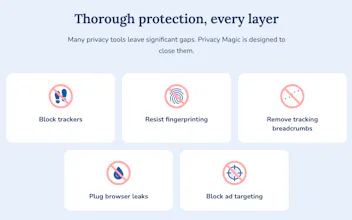
These protections include automatically blocking ads and trackers (similar to an adblocker, but uniform across all users), resisting fingerprinting (blocking all manner of leaks of information about your device), blocking breadcrumbs (so websites can't "tag" your browser), sealing web browser leaks (hardening things such as iframes and web workers), blocking third-party cookies, disabling anti-privacy features in the browser (such as so-called Ad Measurement), and enabling the Global Privacy Control (a message that demands websites don't sell your data).
All of these privacy protections have been designed to avoid interfering with your browsing. But, if by chance, you do run into a website that doesn't work with Privacy Magic out of the box, you can disable protections just on that website by clicking on the button and switching it off.
In addition to the in-browser protections that Privacy Magic offers, it's essential to keep your IP address safe from prying eyes. During installation, the extension provides you a link to the Privacy Guides' recommended VPNs that will hide your IP address from websites and embedded trackers.
I'm pleased to say that Privacy Magic's privacy protections are thorough and, as far as I am aware, considerably exceed the protections offered by any other Chrome extension. I'm determined to continue to tighten and extend the suite of privacy protections to provide a solution that "just works". And I plan to support other browsers, too, both on desktop and mobile in the future.
Mass surveillance is not going to be stopped by niche tools: we need to give all people the tools they need to protect themselves. The antidote to mass surveillance is mass protection. I hope Privacy Magic will be a significant contribution to this effort.
Please give Privacy Magic a try! You can easily install it for free in Chrome (and it's easy to remove as well if it's not for you). Let me know about your experience; feedback is essential for me to continuously improve the extension. If you do like it, consider helping family members and friends try it on their computers.
Here's to a future where the human right to privacy is available to everyone!
Report
How does Privacy Magic compare to uBlock Origin when it comes to actually blocking ads, since a lot of privacy tools end up feeling redundant if you already run a solid blocker?
Report
Maker
@fikretseymenler It's true that adblockers can provide some partial protection by blocking well-known tracking scripts. However, many trackers are left unblocked by adblockers because they have not been identified or because blocking them would break the user's experience.
Privacy Magic blocks ads and trackers using similar filter lists to uBlock Origin. In addition, Privacy Magic goes far beyond what adblockers can do, by providing direct protections against a wide variety of tracking techniques, including fingerprinting, third-party cookies, URL tracking parameters, tracking APIs, etc.
Report
How does it stack up against uBlock Origin for everyday ad and tracker blocking, or are you aiming at a more comprehensive fingerprinting angle here?
Report
Maker
@muhammet187758 Privacy Magic uses very similar filter lists for blocking ads and trackers. It makes use of cosmetic filter rules too, to make sure web pages look good when ads are blocked.
And yes, in addition, Privacy Magic provides comprehensive fingerprinting protections, as well as a wide variety of other privacy protections, all enabled by default and designed to allow seamless browsing.
Report
love that it bundles fingerprinting resistance and global privacy control headers in one open source package instead of forcing you to stack five separate extensions. the no frills approach to the install feels right too, just works immediately without nagging for permissions.
Report
Maker
@akkannazar33376 Hi Nazar -- thank you for your comment. Any feedback you have would be much appreciated!
Report
Love that it ships as open source and actually sets the Global Privacy Control header by default. Most tools stop at blocking trackers, so seeing fingerprinting resistance and breadcrumb cleanup baked in is a thoughtful level of completeness.
Report
Maker
@enaypbab Thanks for your comment! Your feedback is much appreciated.
How does Privacy Magic compare to uBlock Origin when it comes to actually blocking ads, since a lot of privacy tools end up feeling redundant if you already run a solid blocker?
@fikretseymenler It's true that adblockers can provide some partial protection by blocking well-known tracking scripts. However, many trackers are left unblocked by adblockers because they have not been identified or because blocking them would break the user's experience.
Privacy Magic blocks ads and trackers using similar filter lists to uBlock Origin. In addition, Privacy Magic goes far beyond what adblockers can do, by providing direct protections against a wide variety of tracking techniques, including fingerprinting, third-party cookies, URL tracking parameters, tracking APIs, etc.
How does it stack up against uBlock Origin for everyday ad and tracker blocking, or are you aiming at a more comprehensive fingerprinting angle here?
@muhammet187758 Privacy Magic uses very similar filter lists for blocking ads and trackers. It makes use of cosmetic filter rules too, to make sure web pages look good when ads are blocked.
And yes, in addition, Privacy Magic provides comprehensive fingerprinting protections, as well as a wide variety of other privacy protections, all enabled by default and designed to allow seamless browsing.
love that it bundles fingerprinting resistance and global privacy control headers in one open source package instead of forcing you to stack five separate extensions. the no frills approach to the install feels right too, just works immediately without nagging for permissions.
@akkannazar33376 Hi Nazar -- thank you for your comment. Any feedback you have would be much appreciated!
Love that it ships as open source and actually sets the Global Privacy Control header by default. Most tools stop at blocking trackers, so seeing fingerprinting resistance and breadcrumb cleanup baked in is a thoughtful level of completeness.
@enaypbab Thanks for your comment! Your feedback is much appreciated.