
Privacy Magic
A Chrome extension to protect your privacy
11 followers
A Chrome extension to protect your privacy
11 followers
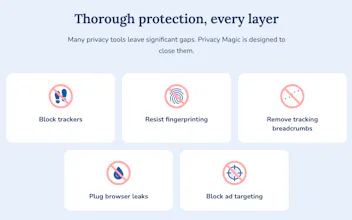
Privacy Magic is a new, open-source extension for Chrome that comprehensively protects your privacy as you browse the web, far beyond the protection provided by adblockers. Privacy protections include: - blocking ads and trackers - resisting fingerprinting - deleting tracking breadcrumbs - blocking third-party cookies - disabling anti-privacy browser features - setting the Global Privacy Control header Privacy Magic is free -- please give it a try!





How does Privacy Magic compare to uBlock Origin when it comes to actually blocking ads, since a lot of privacy tools end up feeling redundant if you already run a solid blocker?
@fikretseymenler It's true that adblockers can provide some partial protection by blocking well-known tracking scripts. However, many trackers are left unblocked by adblockers because they have not been identified or because blocking them would break the user's experience.
Privacy Magic blocks ads and trackers using similar filter lists to uBlock Origin. In addition, Privacy Magic goes far beyond what adblockers can do, by providing direct protections against a wide variety of tracking techniques, including fingerprinting, third-party cookies, URL tracking parameters, tracking APIs, etc.
How does it stack up against uBlock Origin for everyday ad and tracker blocking, or are you aiming at a more comprehensive fingerprinting angle here?
@muhammet187758 Privacy Magic uses very similar filter lists for blocking ads and trackers. It makes use of cosmetic filter rules too, to make sure web pages look good when ads are blocked.
And yes, in addition, Privacy Magic provides comprehensive fingerprinting protections, as well as a wide variety of other privacy protections, all enabled by default and designed to allow seamless browsing.
love that it bundles fingerprinting resistance and global privacy control headers in one open source package instead of forcing you to stack five separate extensions. the no frills approach to the install feels right too, just works immediately without nagging for permissions.
@akkannazar33376 Hi Nazar -- thank you for your comment. Any feedback you have would be much appreciated!
Love that it ships as open source and actually sets the Global Privacy Control header by default. Most tools stop at blocking trackers, so seeing fingerprinting resistance and breadcrumb cleanup baked in is a thoughtful level of completeness.
@enaypbab Thanks for your comment! Your feedback is much appreciated.