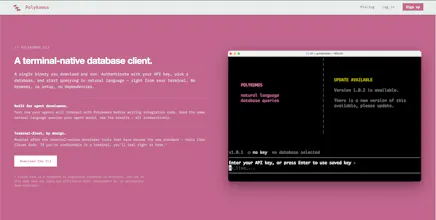
Polykomos is a managed database platform with a layer for agents. Provision PostgreSQL, MySQL, or SQLite instances through the API or dashboard, then let your agents query them in natural language. They describe what they want, Polykomos handles the SQL. No database knowledge needed on the agent side. Traditional access works too — connect with any standard tool or driver.
No reviews yetBe the first to leave a review for Polykomos
Maker
📌
I'm always managing a bunch of databases across various sites and apps, and my original plan for Polykomos was to build a robust, multi-engine managed database hosting platform, where people could spin up databases via API. This is a pretty standard concept, but I wanted to make one that had the user experience and features I needed for various pipelines and apps.
While building the tool, I found myself messing around with agents a bit, and at one point, I wanted to make a simple agent that would keep track of various lists for me in a database, but I didn't want to add a bunch of SQL logic to it, and I realized that I needed to add a layer to Polykomos to allow agents to speak to it.
The result is a managed database platform that also has an API where agents can send natural language queries. In my notes app example, an agent can run these queries for instance:
- "Create a table to store the names of people I met at the meetup"
- "Add Alex Smith to the meetup names table"
- "Tell me all the names that I met at the meetup that are also in my contacts table"
And the natural language layer will translate them into safe, correct SQL, and store everything in a proper relational database (PostgreSQL or MySQL, SQLite coming) that you can also query with the normal tools native to these engines.
Report
Maker
BTW I wrote my first comment a week ago, before this was posted, and I forgot to mention the command line tool that goes with the site. Obviously I'm very, very biased, but I've had a lot of fun playing with it: