
PlayPounce — free game hub
93 free browser games — instant play, no sign-up
3 followers
93 free browser games — instant play, no sign-up
3 followers
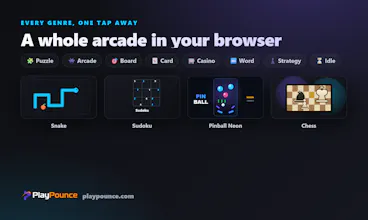
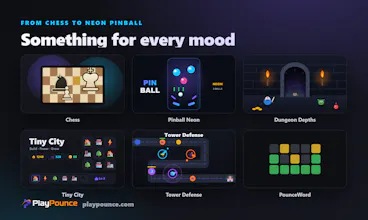
PlayPounce is a hub of 93 free HTML5 games you can play instantly in your browser — no downloads, no account, no paywall. It's a PWA, so games you've opened keep working offline. Genres span puzzle, arcade, board, card, casino, word (a daily Wordle-style game) and idle, with daily challenges, achievements and an optional leaderboard. Everything is original code and art — just click and play.




Free
Launch Team / Built With


Dropbox SignSimple, secure eSignatures for the way your team works.
Promoted
Love how snappy this is and the offline PWA angle is genuinely useful. One thing I'd kill for though is a simple "second screen" mode where you can plug in a controller and the game maps to it automatically. Browser gamepad support already exists, but most hubs ignore it. Even just a basic on screen control overlay as a fallback for touch would make the idle and arcade titles so much more fun on the couch.
@elmasnerz9d8 Thank you — this is exactly the kind of feedback I was hoping for. You nailed it: most hubs ignore the Gamepad API and it's low-hanging fruit. Since every game here runs same-origin in an iframe, I can add a hub-level input layer that maps a controller (and an on-screen D-pad overlay for touch) to games without rewriting each one. Putting it on the roadmap — I'll ping you when the arcade titles support it. 🎮